NinjaTrader 8 Add-On

CustomDOM

Order-flow DOM for active futures traders

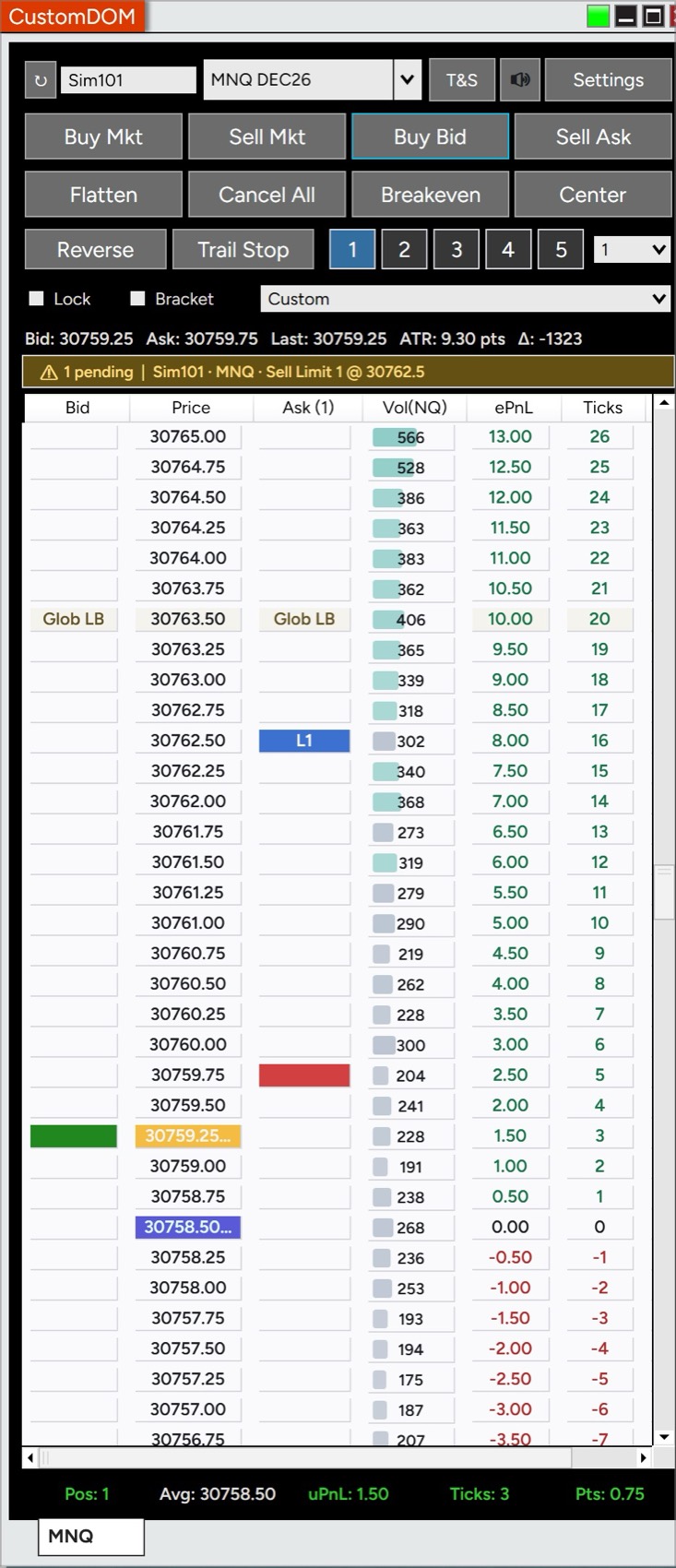
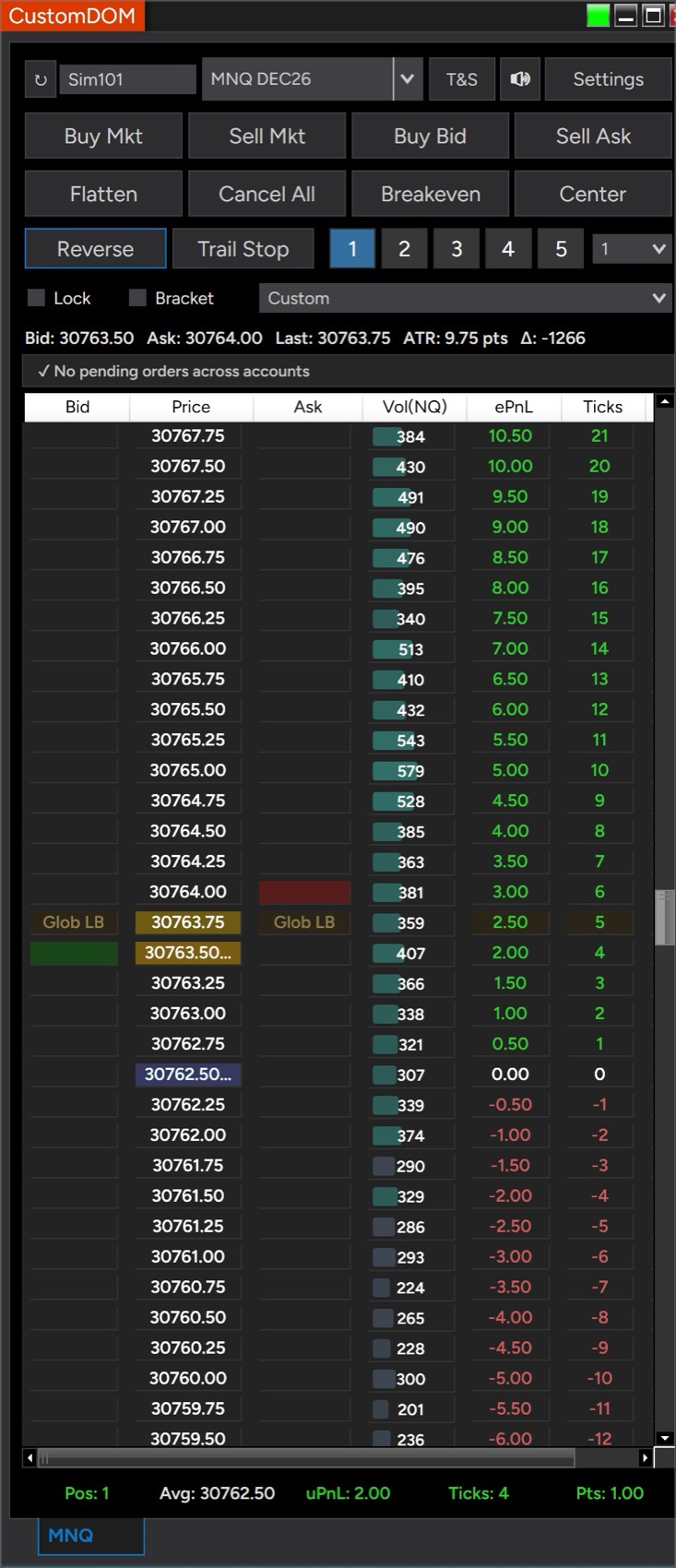
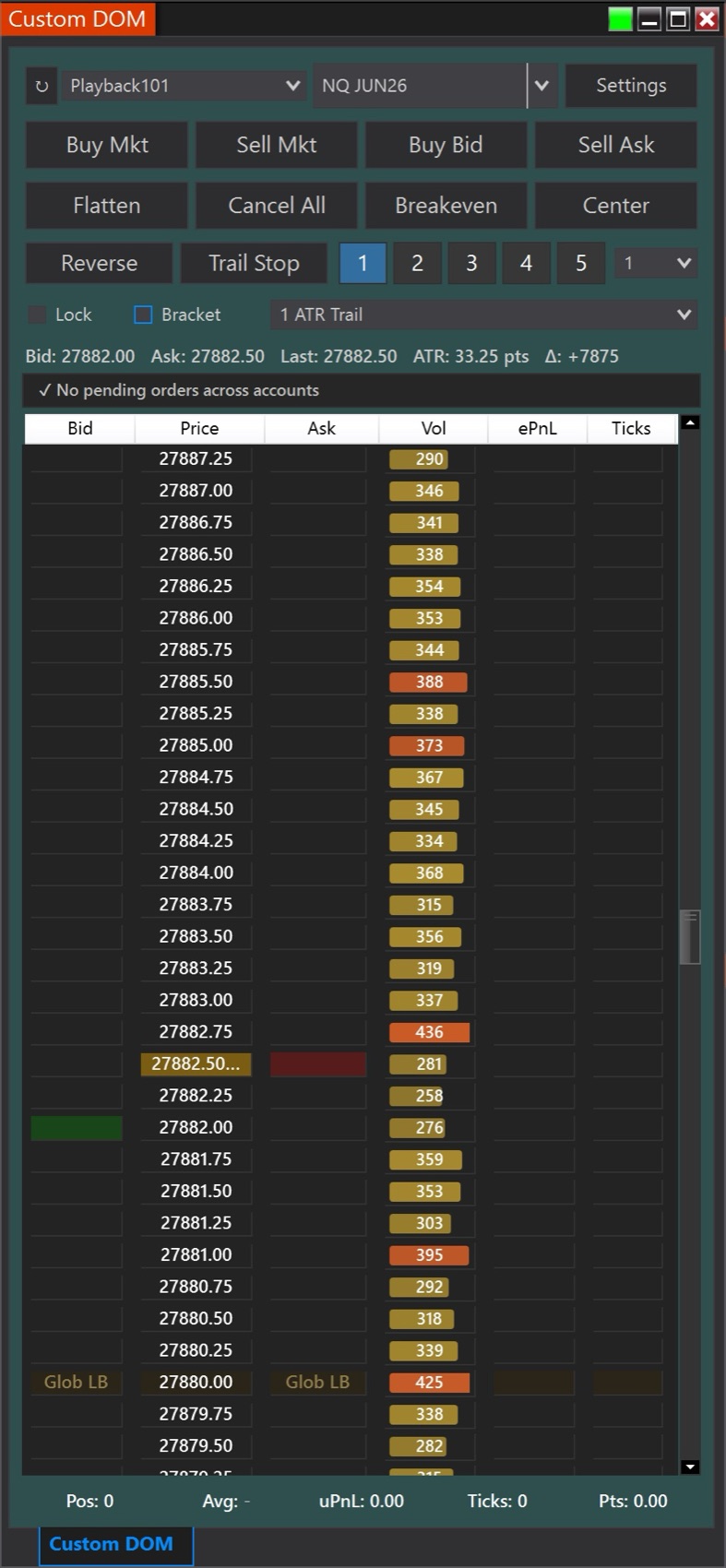
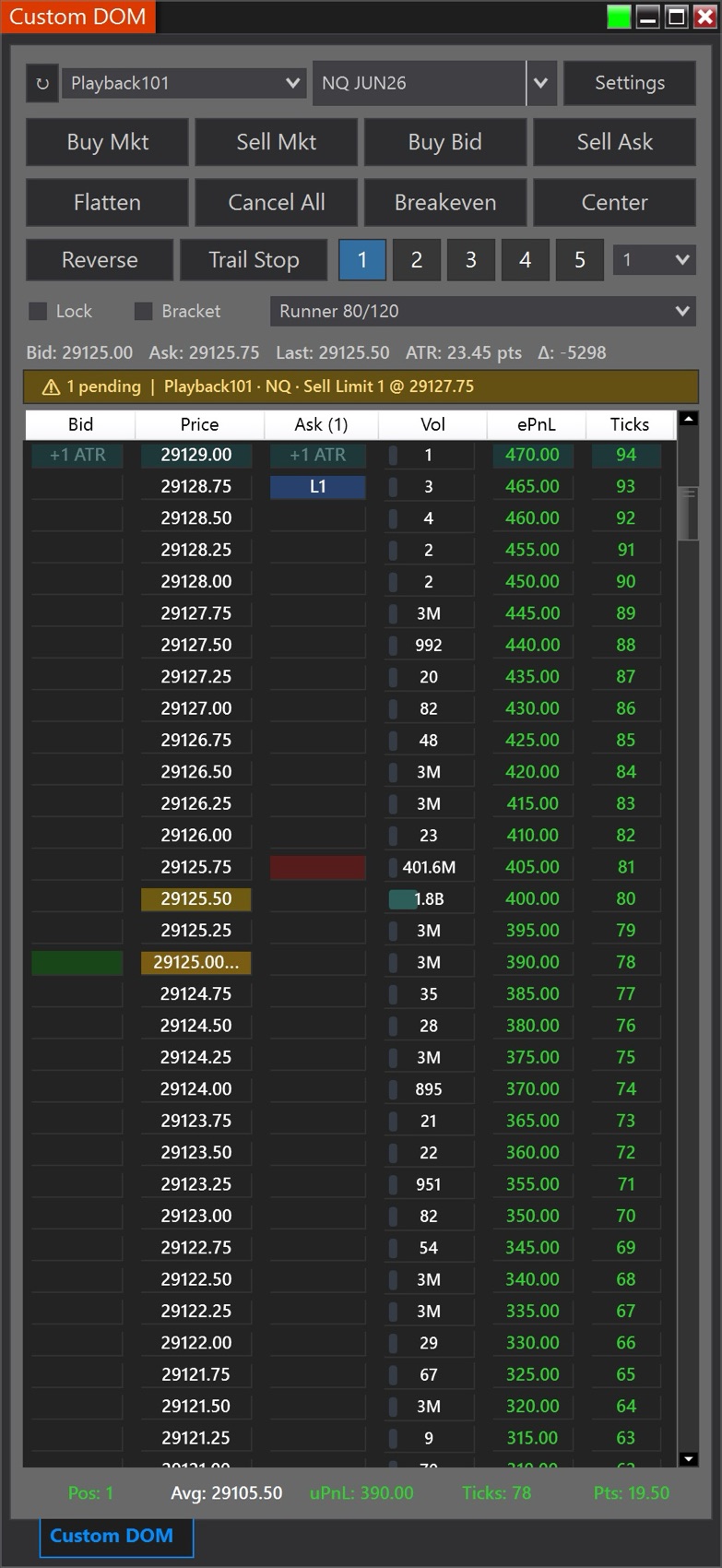
Read order flow with per-price Delta, size brackets in ticks, ATR, or dollar P&L, and stay safe across multiple accounts with cross-account orphan-order alerts. The depth and tools experienced traders need in one tight window.

$100 lifetime · or $10/mo Purchase CustomDOM

Built for Order-Flow Traders

A precision Depth-of-Market window with the depth, risk controls, and order-flow context experienced traders need — in one clean, focused layout.

One-click entry & brackets

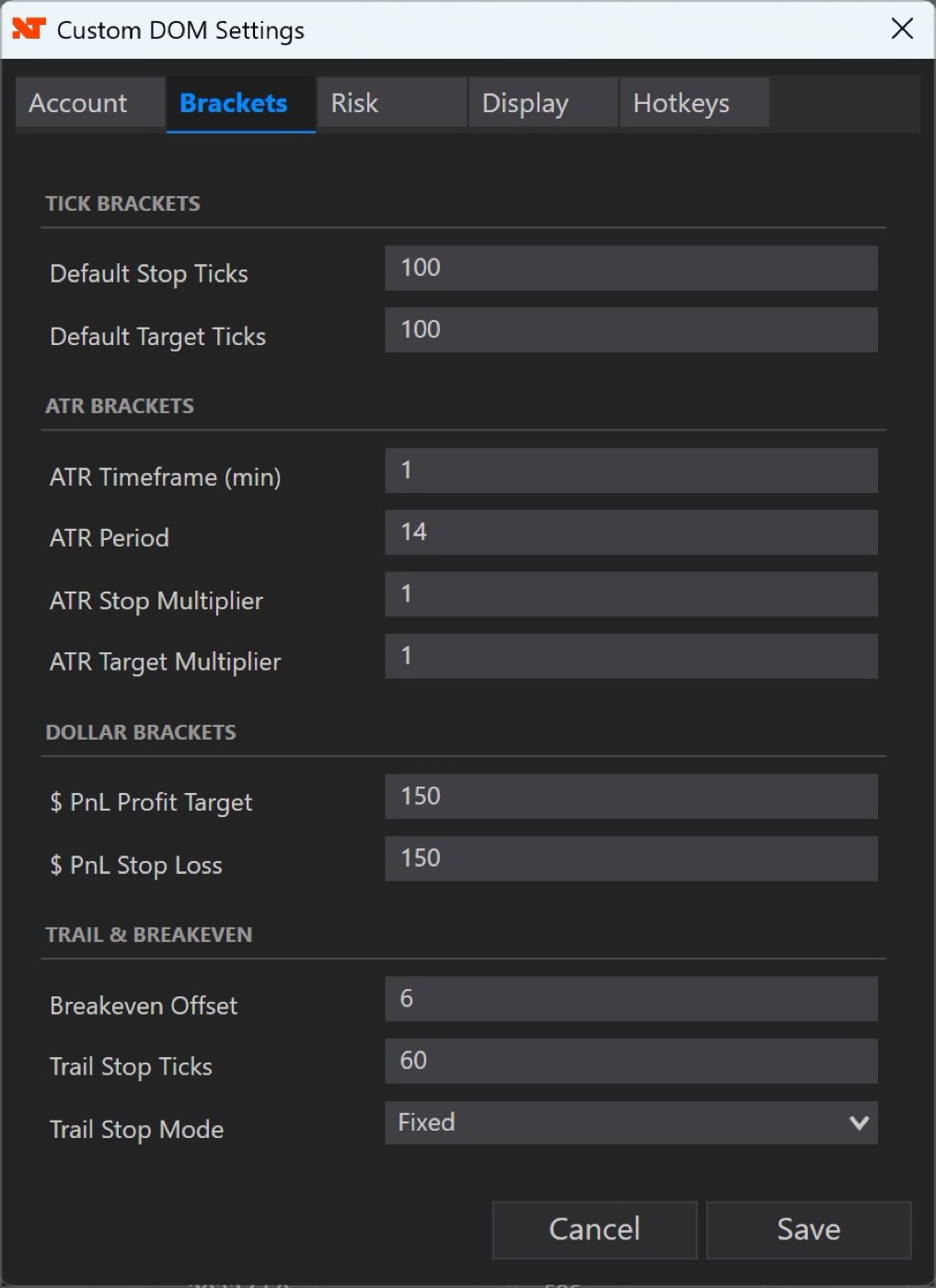
Buy or sell at bid, ask, or market with auto-brackets — fixed ticks, ATR-scaled, $ P&L, or trailing presets.

Per-price Delta

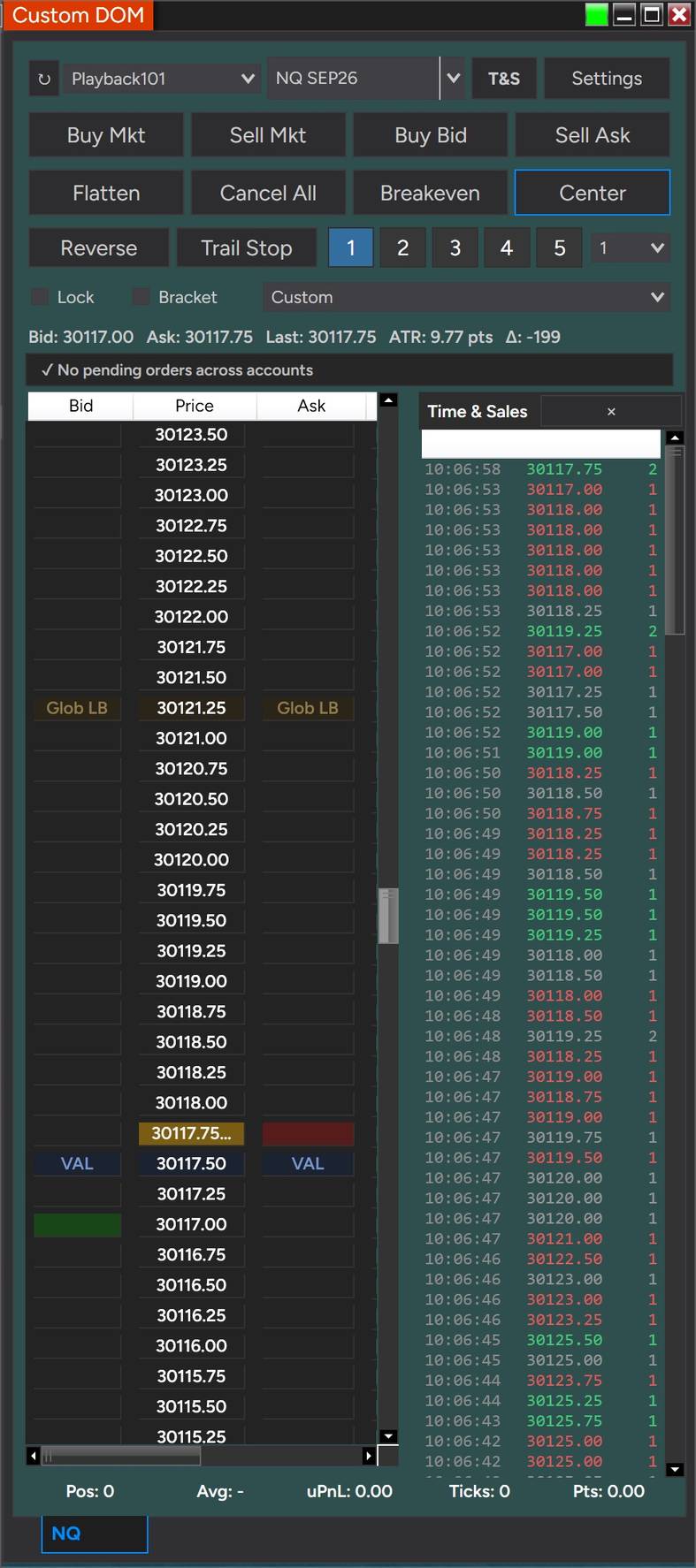
A Delta column at every price plus a cumulative session Δ readout — see who’s winning each level.

Time & Sales, built in

An aggressor-colored tape beside the ladder with a large-print highlight — no Level 2 feed required.

Volume Profile on the ladder

Session VPOC and Value-Area High/Low drawn at their prices — the key levels always in view.

Indicator levels on the ladder

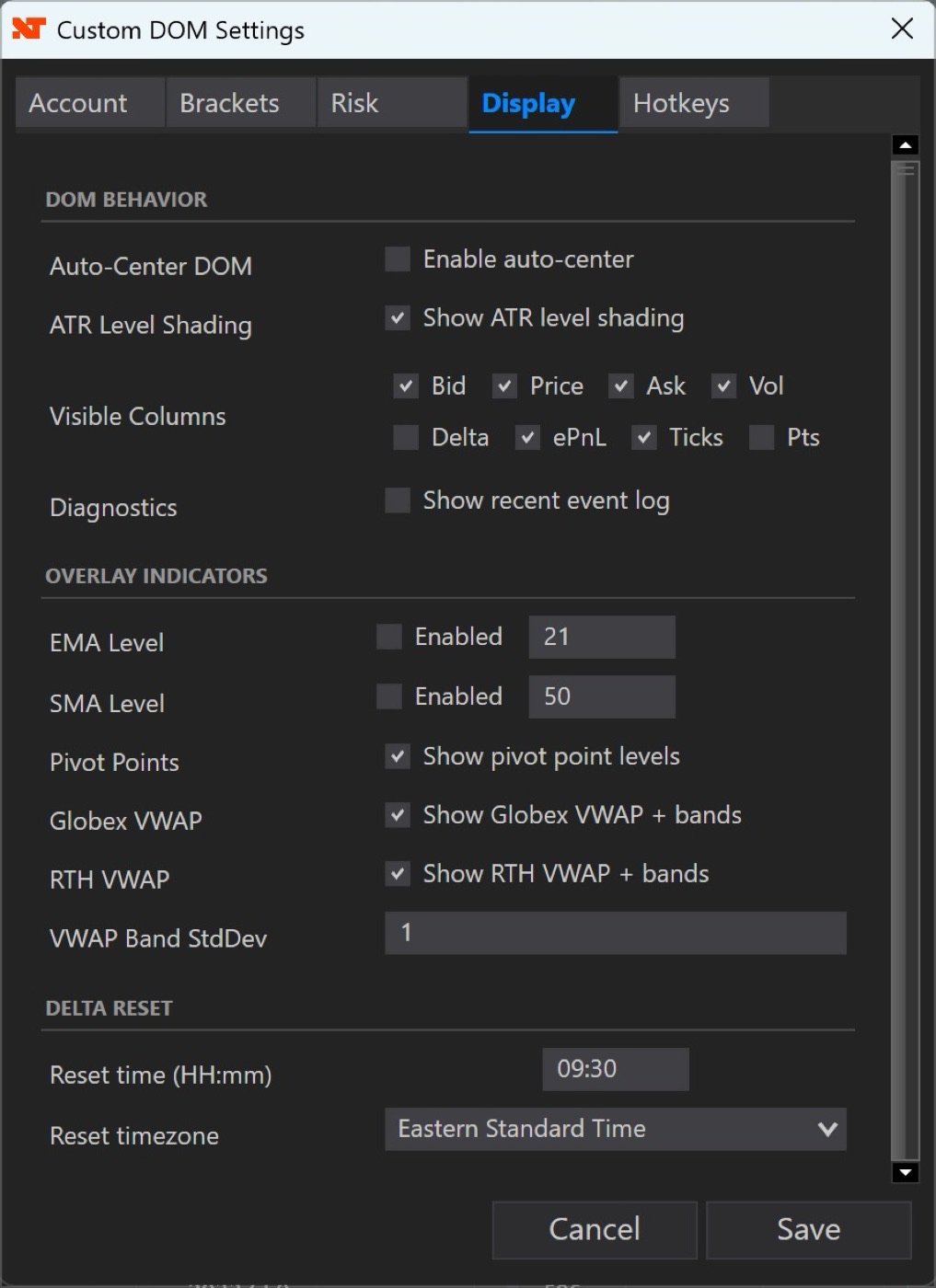
Globex + RTH VWAP with σ bands, EMA, SMA, and floor pivots — tick-accurate, matching your chart.

Per-account risk guardrails

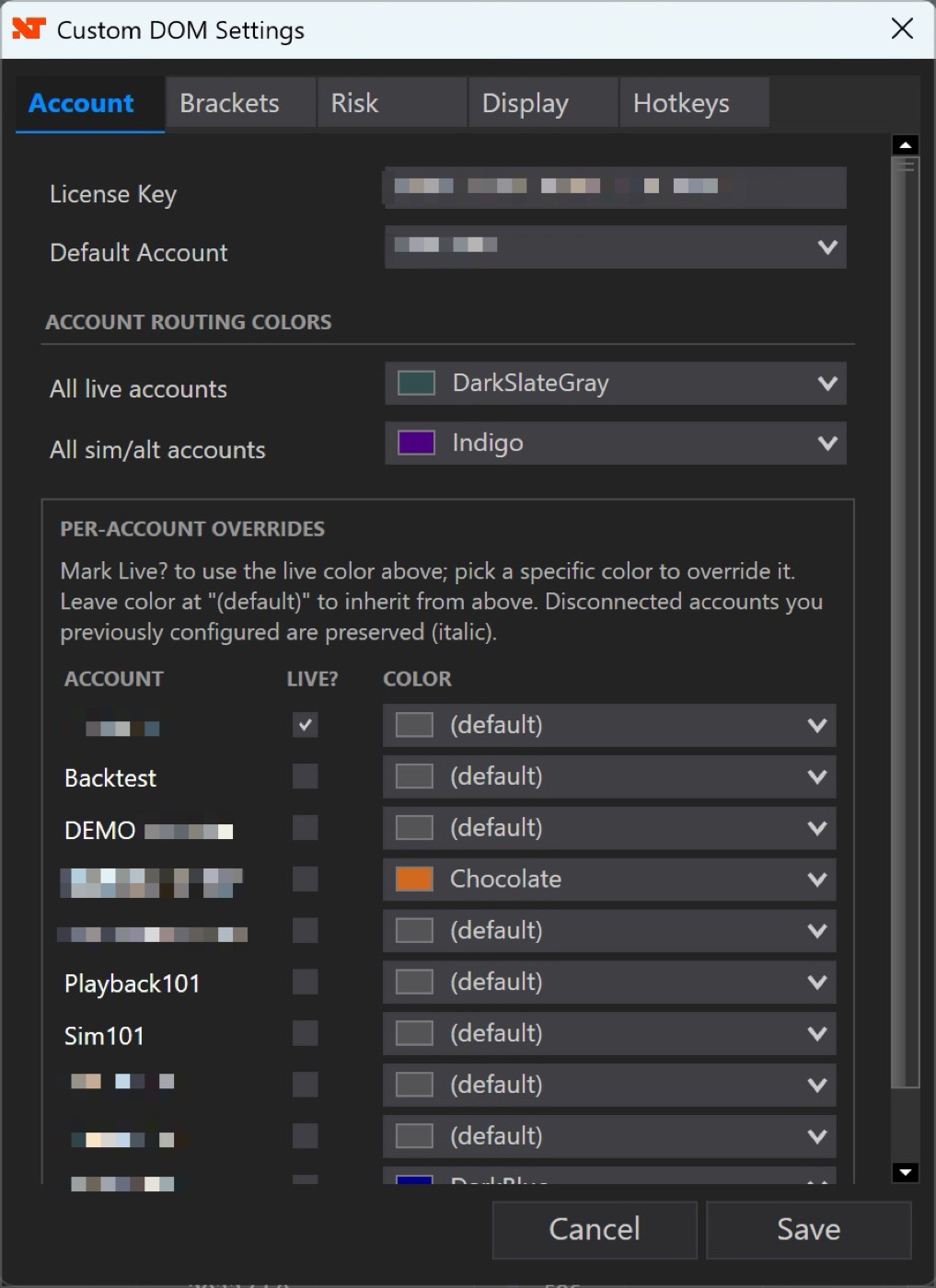
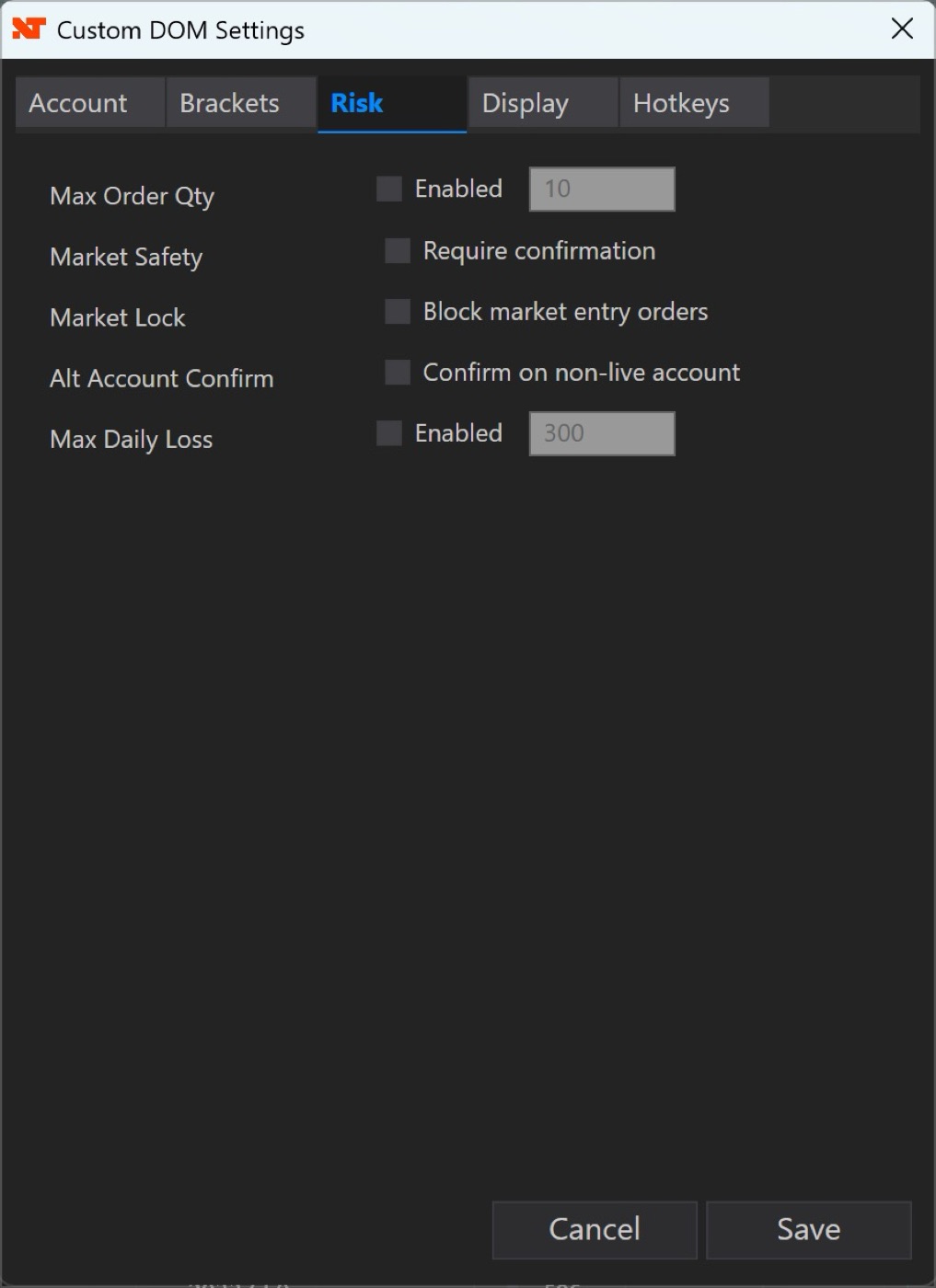
Daily-loss lockout, per-trade stop, and Mini/Micro position caps per account — on top of global safety locks.

Multi-account safety

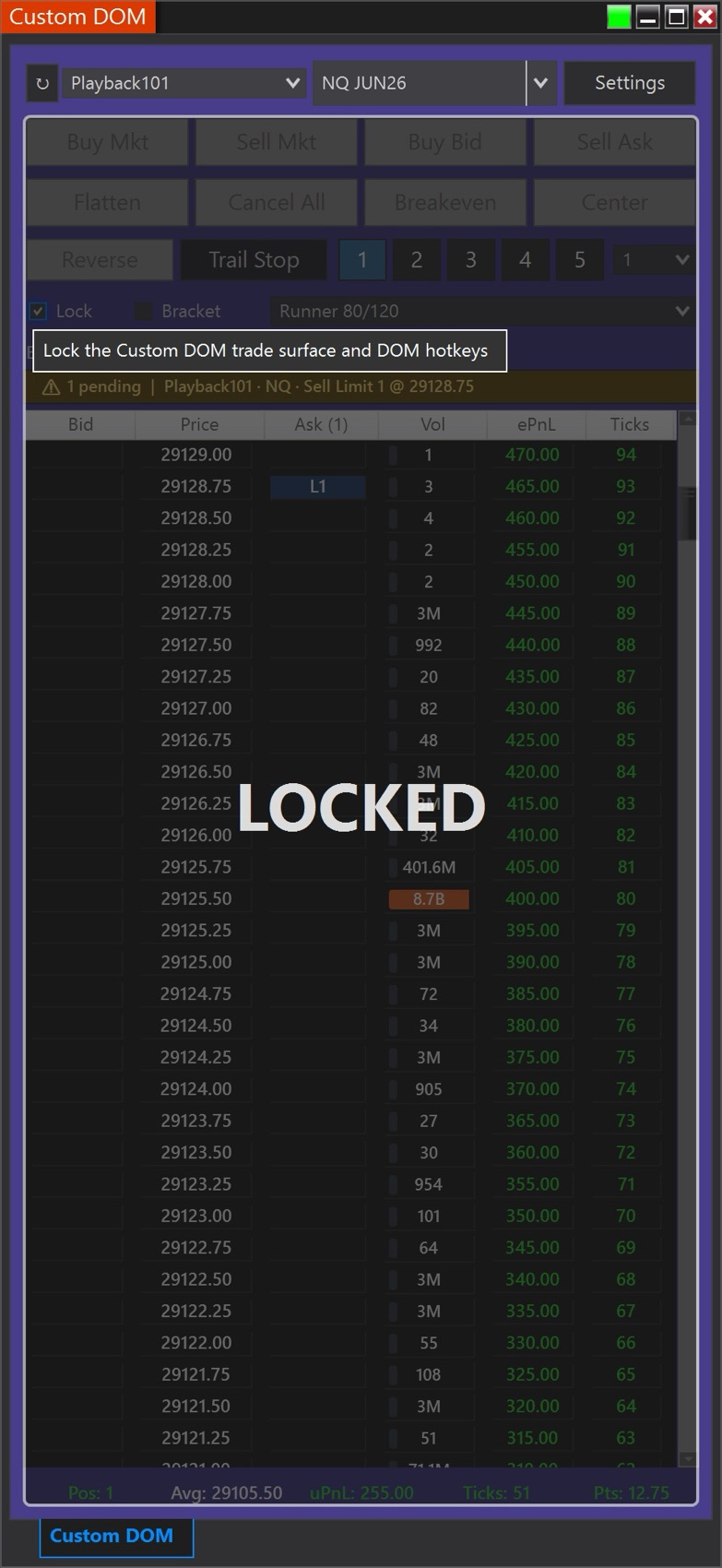
Cross-account orphan-order alerts and a one-toggle surface lock for stepping away from a working trade.

Works with CustomChart

The ladder follows your active CustomChart pane’s instrument and account automatically.

New in v1.12 — Know When Your Prices Are Late

  • Update required by October 16, 2026. Older versions of CustomDOM stop validating after that date. Install v1.12 before then to keep trading without interruption.
  • Price feed warnings — a red strip across the top of the DOM when prices may be out of date: PRICE FEED LOST, NO DATA, or DATA DELAYED when prices are arriving late. A delayed feed is the most dangerous kind — the ladder keeps moving, just behind the market — and NinjaTrader itself does not warn about it. Plus Feed: OK beside ATR and Delta, on by default.
  • Smart Breakeven (on by default) — take contracts off and your stops and targets shrink to match; go flat and any stop still working is canceled, so a stray order can’t open a position the other way. Breakeven now moves every stop protecting the position, never one that is already better.
  • Several CustomDOM windows, numbered #1, #2, #3… each with its own instrument, account and settings — and an optional color per window. CustomDOM #2 pairs with CustomChart #2.
  • Delta, VWAP and Volume Profile match NinjaTrader’s Order Flow numbers when your NinjaTrader license includes Order Flow+ — NinjaTrader can hand add-ons the same live trade twice, which inflated live volume before.
  • Also — four more hotkeys (Reverse, Trail Stop, Buy Mkt, Sell Mkt; no default), a Theme setting (match your skin, Light or Dark), safer account and instrument switching, Reverse and the daily-loss flatten cancel every order on the closing side, levels reload when you jump in Market Replay, and your license runs on one computer at a time.

v1.11 — Two Level Corrections, and CustomDOM Follows Your Skin

  • Correction — Volume Profile levels on micro contracts. POC, VAH and VAL were roughly double-counted when trading a micro (MNQ, MES, MGC). The double count applied only to live trades and not to loaded history, so it over-weighted recent trading and pulled the POC toward the current price. If you trade micros and thought your POC looked oddly close to price — you were right. It is worth re-checking any levels you noted from a recent session.
  • Correction — VWAP was missing volume after every load. Up to about a minute of volume was dropped each time VWAP loaded its session history — at DOM open, and when changing instrument. VWAP now picks up live trades exactly where the loaded history ends.
  • Pick any of NinjaTrader’s seven skins and the interface follows it automatically — and CustomChart does too, using the same palette, so your tools match your platform and each other. Set the skin in NinjaTrader under Tools → Settings → General → Skin and restart NinjaTrader for it to take effect. For CustomDOM that means the ladder, settings and Time & Sales: light skins get a light DOM, dark skins look exactly as they always have. Your account colors are not changed — a live account looks exactly as you set it, on every skin, because that color is a safety signal.
  • “Why is a level here?” diagnostics (Settings → Display) — shows the inputs behind every level: which instrument the data came from, the session windows, the running totals. A level that looks wrong can be checked against your chart instead of guessed at.
  • Also — a new color picker throughout (palette, hex paste, or exact RGB and opacity), a notice when a new version is available, a selectable VWAP price source (existing installs keep their current behaviour), and faster startup.

v1.10 — Your Clicks, Your Rules

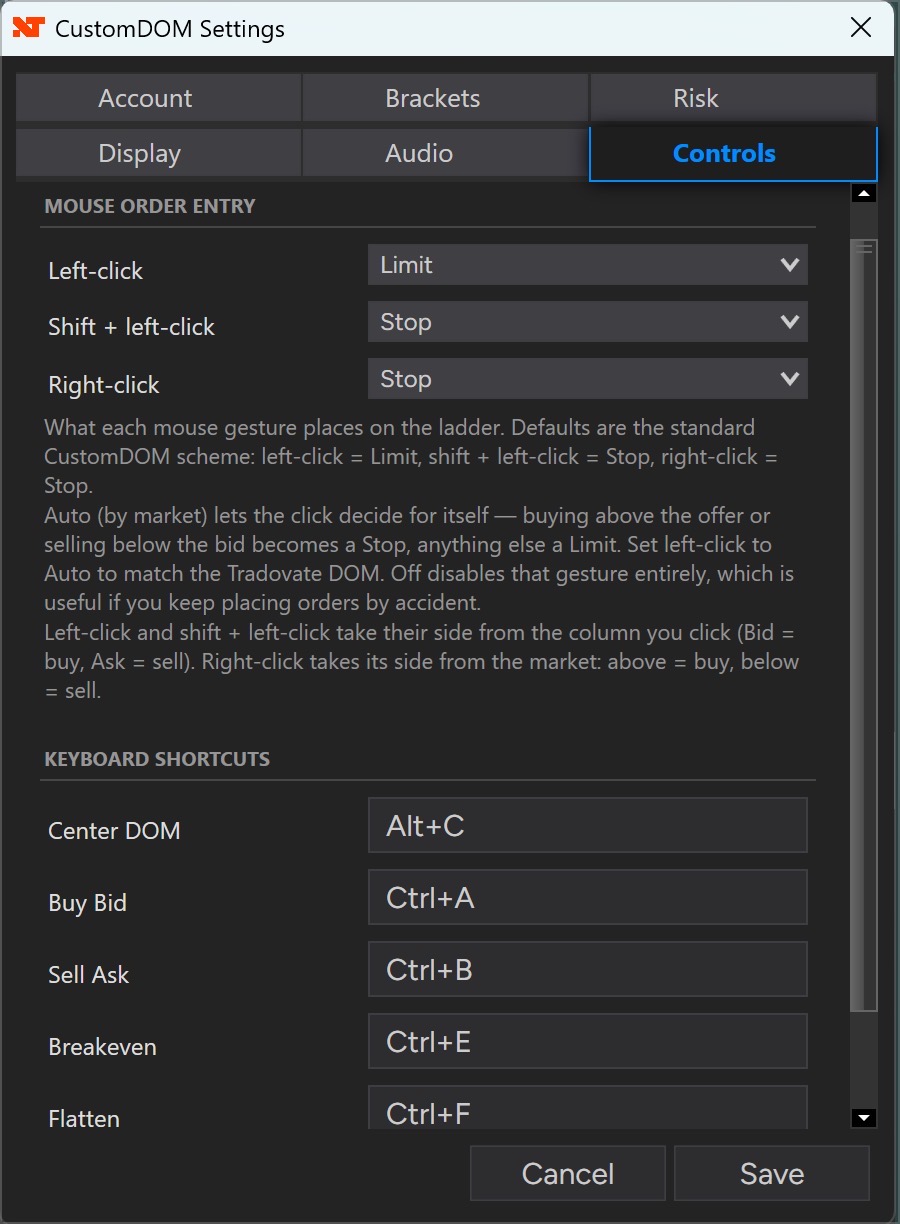
  • Configurable mouse order entry — each gesture is now its own setting. Left-click, shift + left-click and right-click can each place a Limit or a Stop, decide for itself with Auto — buying above the offer or selling below the bid becomes a stop, anything else a limit — or be switched Off entirely to rule out an accidental order. Coming from a Tradovate DOM? Set left-click to Auto. The defaults are exactly how CustomDOM has always worked, so nothing changes unless you change it.
  • The Hotkeys tab is now Controls — mouse and keyboard configuration in one place. CustomDOM also now shows as one word throughout, including in the NinjaTrader New menu, where the entry previously read “Custom DOM”.

v1.9 — Hear the Tape

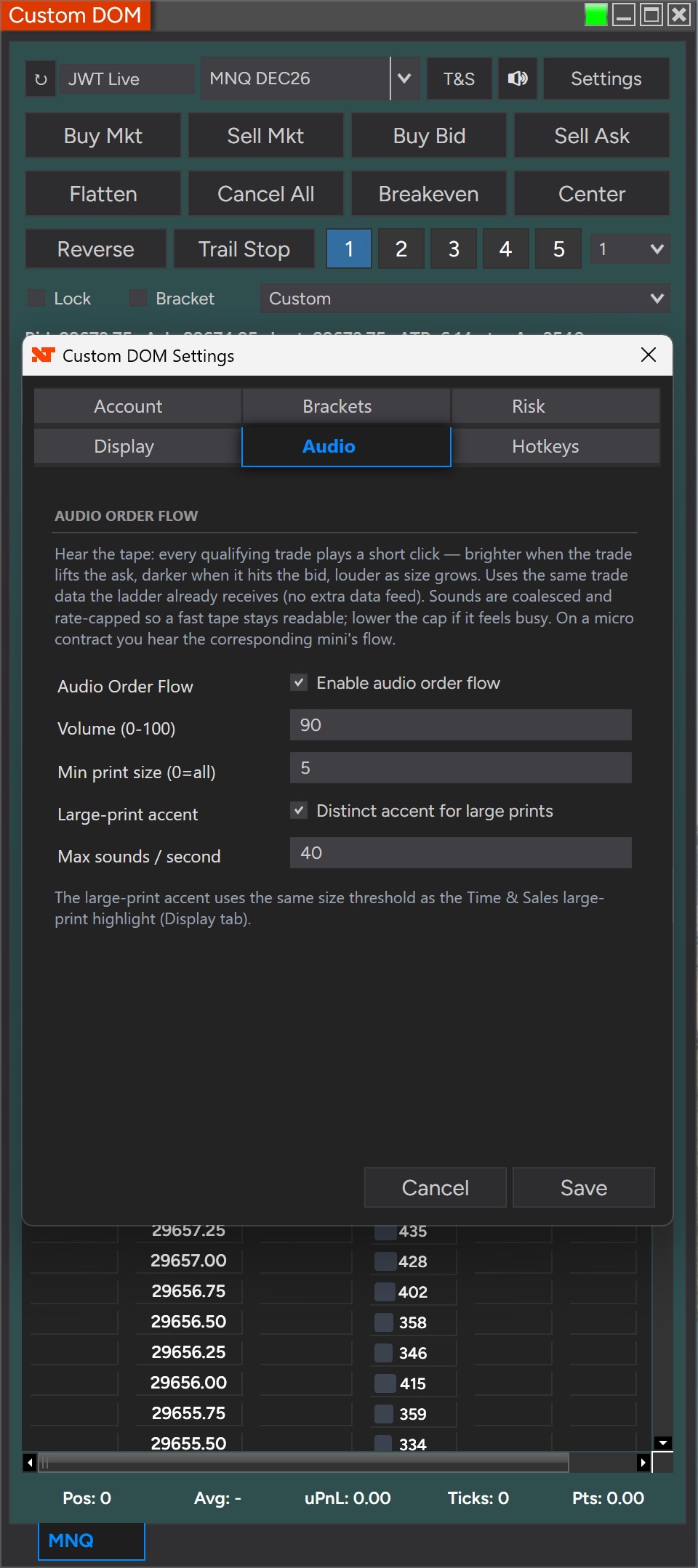
  • Audio Order Flow — follow the tape with your ears while your eyes are on the chart. Every qualifying print plays a short tone: pitch tells you whether it lifted the ask or hit the bid, loudness tells you the size, and an accent marks unusually large prints. A fast tape simply sounds busy. Off by default and entirely opt-in — there is a mute button on the toolbar beside T&S, and a DOM you never configure stays silent.
  • No extra data feed, no sound files — audio uses the same trade data the ladder already receives, and the tones are generated in memory rather than installed. Set the volume, a minimum print size, the large-print accent and a sounds-per-second cap in Settings → Audio. On a micro contract you hear the corresponding mini’s flow.
  • Pivot points rebuilt to match your charts — correct CME trading-day boundaries and the settlement close, six pivot types (Traditional, Fibonacci, Woodie, Classic, DeMark, Camarilla), and R4/R5 & S4/S5 where the type defines them. Levels now appear as soon as the DOM opens rather than only after a session rollover, and a new Pivot Session Template setting lets you match your chart.
  • Micro contracts line up with the chart — every ladder level on MNQ, MES and MGC is now calculated from the mini contract’s data: pivots, VWAP, volume profile, ATR and the moving averages.
  • Also — the VWAP historical seed now uses HLC3, matching CustomChart, and Settings descriptions render correctly on both NinjaTrader skins.

v1.8 — Time & Sales and Volume Profile

  • Time & Sales tape — a scrolling, aggressor-colored T&S panel beside the ladder (buys lift the ask, sells hit the bid), with an optional large-print highlight. No Level 2 or extra data feed required.
  • Volume Profile on the ladder — the session Volume Point of Control (VPOC) and Value-Area High/Low drawn right on the price ladder, with a configurable Value Area %.
  • Faster on heavy, multi-DOM layouts — viewport-limited ladder rendering plus background-window throttling keep clicks and updates immediate.
  • Tick-accurate VWAP (matches CustomChart), levels that stay hidden until the session seed loads (no premature values at open), and Bracket now defaults OFF (with a “Default Bracket On” toggle).

v1.8.2 — reliability fix for a rare error that could occur with Volume Profile enabled on micro-contract ladders during fast trading. (v1.8.1 hardened multi-account order activity.) Every update is free for license holders.

Own It for $100 — or Rent-to-Own at $10/mo

Pay once and it’s yours forever — or pay $10/month and own it for life after 12 payments. Billing stops automatically.

14-day free trial + 14-day money-back on lifetime — 28 days to be sure.

Already own CustomChart? You qualify for 25% off CustomDOM ($75 lifetime) — sign in and generate your personal one-time code from your dashboard.

Lifetime

$ 100

One-time payment — yours forever

  • ✓ Full CustomDOM Add-On for NinjaTrader 8
  • ✓ Lifetime license — no recurring fees
  • ✓ Free updates and improvements
  • ✓ Setup guide & user manual
  • ✓ Direct support & feature requests
Buy Lifetime — $100

14-day money-back guarantee

Rent-to-Own

$ 10 /mo

Own it for life after 12 payments

  • ✓ The same full product — nothing held back
  • ✓ Own it after 12 payments ($120 total)
  • ✓ Billing stops automatically — never more than $120
  • ✓ Cancel anytime; access ends with your paid month
  • ✓ $90 lifetime buyout during your first month
Start Rent-to-Own — $10/mo

Evaluate with the free trial — no money-back on monthly

Free Trial

$ 0

14 days — the full product

  • ✓ Every feature unlocked
  • ✓ No credit card required
  • ✓ Expires automatically — nothing to cancel
  • ✓ Buy after and pick up where you left off
Start 14-day free trial

Just a free account — ready in a minute

Already purchased? Sign in to access your download and setup guide.

Requires NinjaTrader 8. Our recommended trading platform — download free from NinjaTrader and you’re ready to import CustomDOM. Get NinjaTrader → Affiliate link — TradersForge may earn a commission when you sign up.