NinjaTrader 8 Add-On

CustomChart

Modern charting & chart trading for NinjaTrader 8

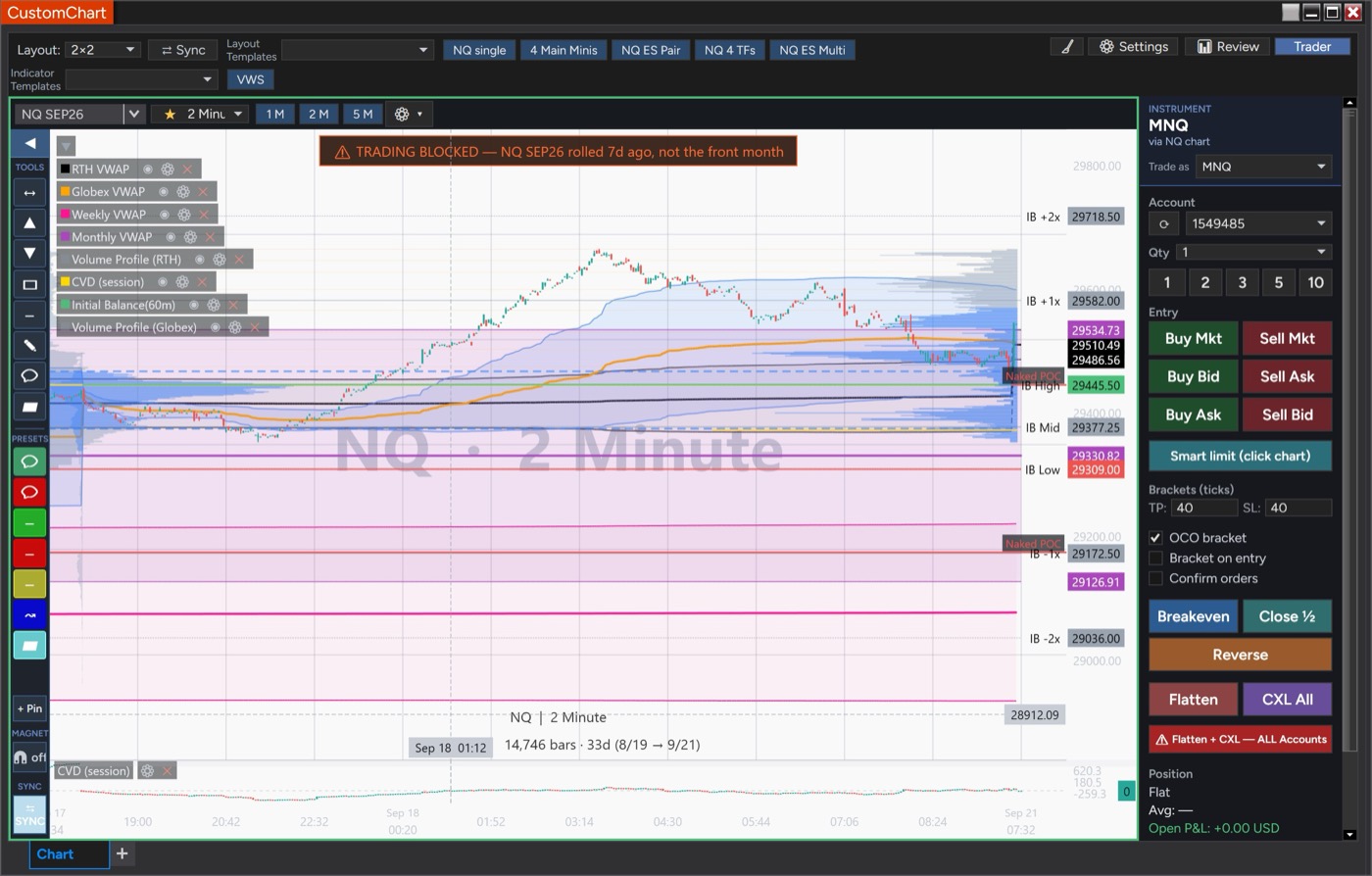
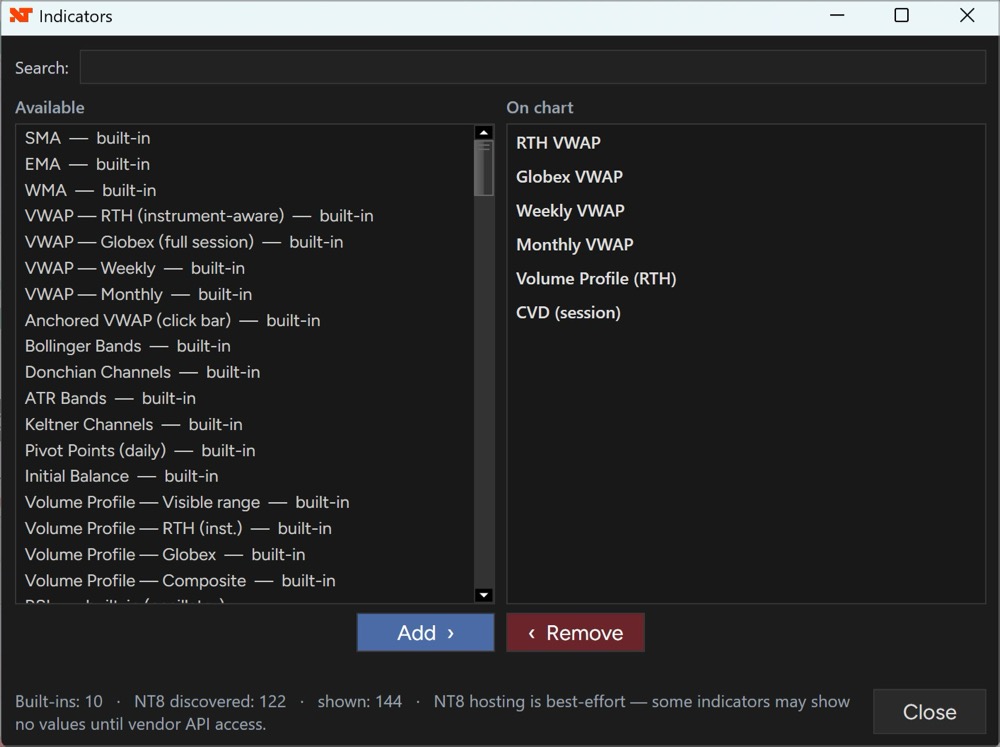
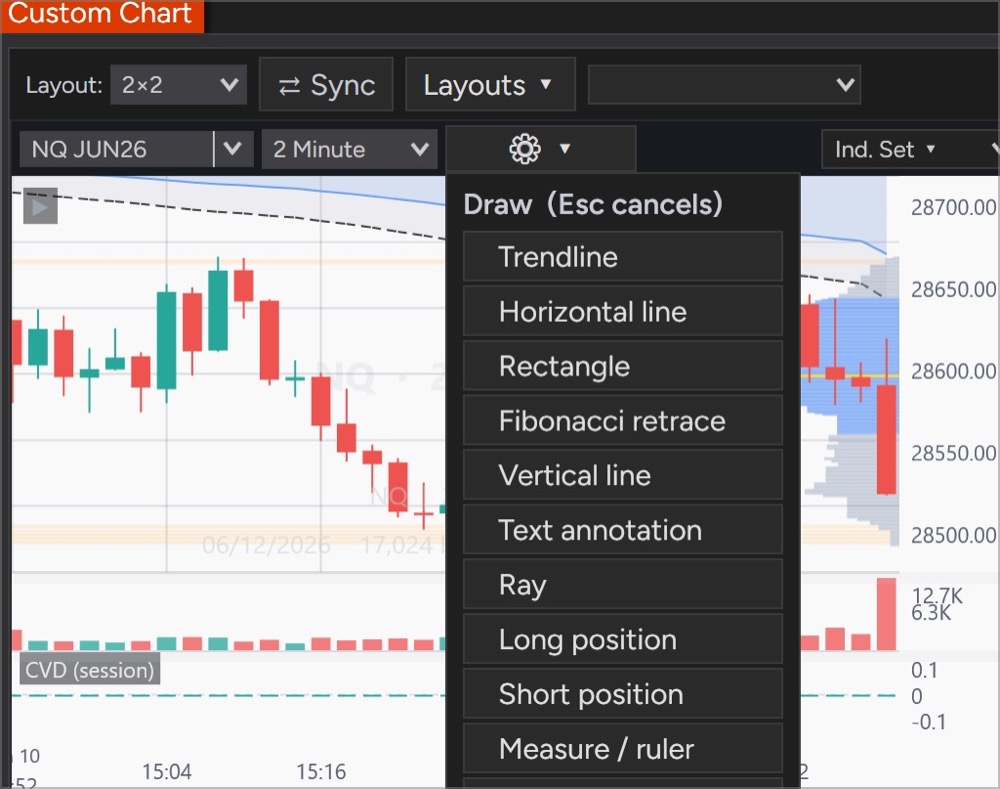
A clean, fast charting workspace with an integrated trader, multi-chart layouts, a full indicator suite — VWAP with σ bands, Volume Profile, moving averages, Bollinger, Donchian, ATR Bands — and order-flow tools. Chart and trade right inside NinjaTrader 8.

$100 lifetime · or $10/mo Purchase CustomChart

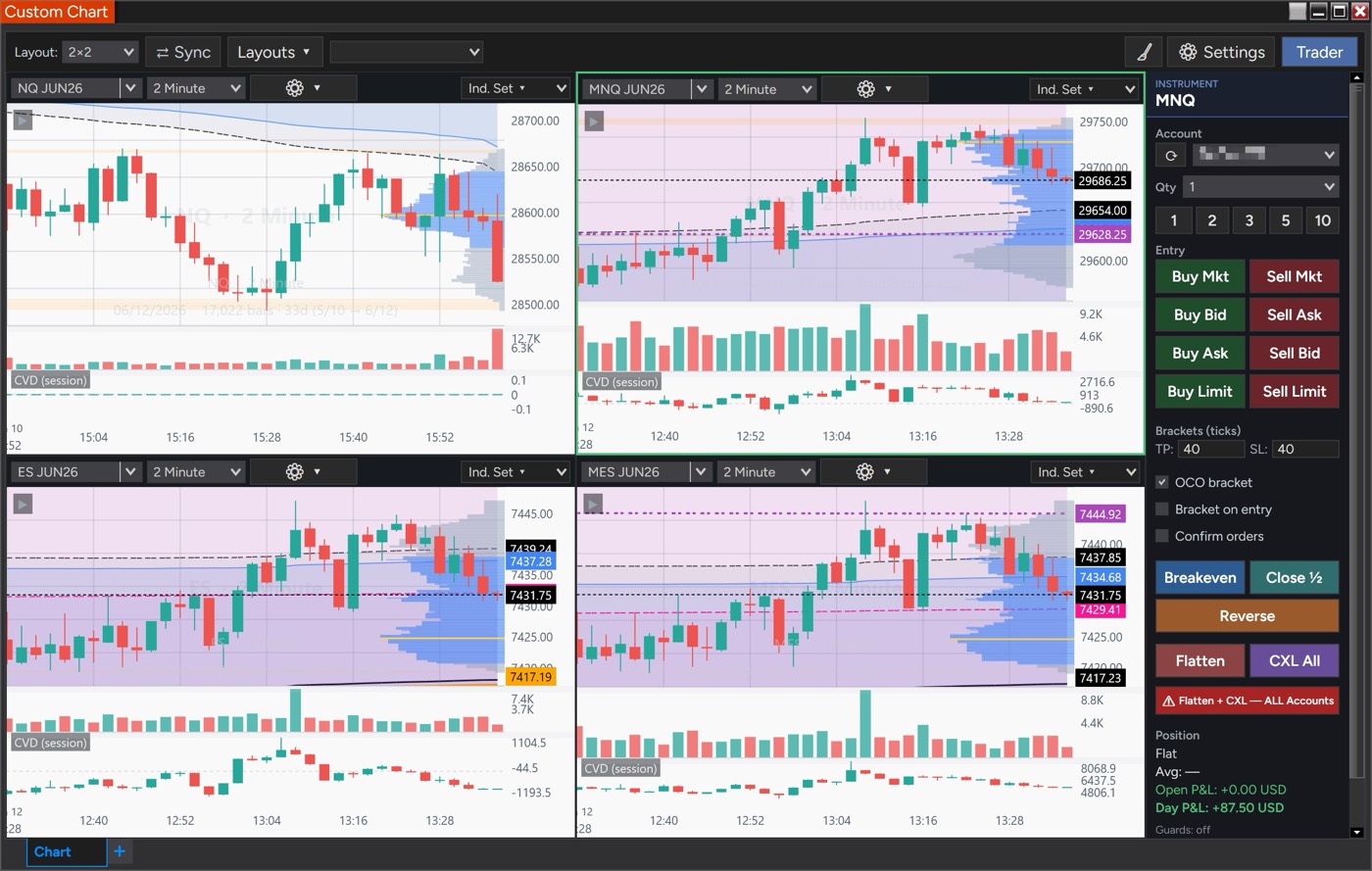
Charting and Trading in One Window

A precise, modern charting workspace with an integrated trader, a full indicator suite, and order-flow tools — designed to feel familiar and built for NinjaTrader 8.

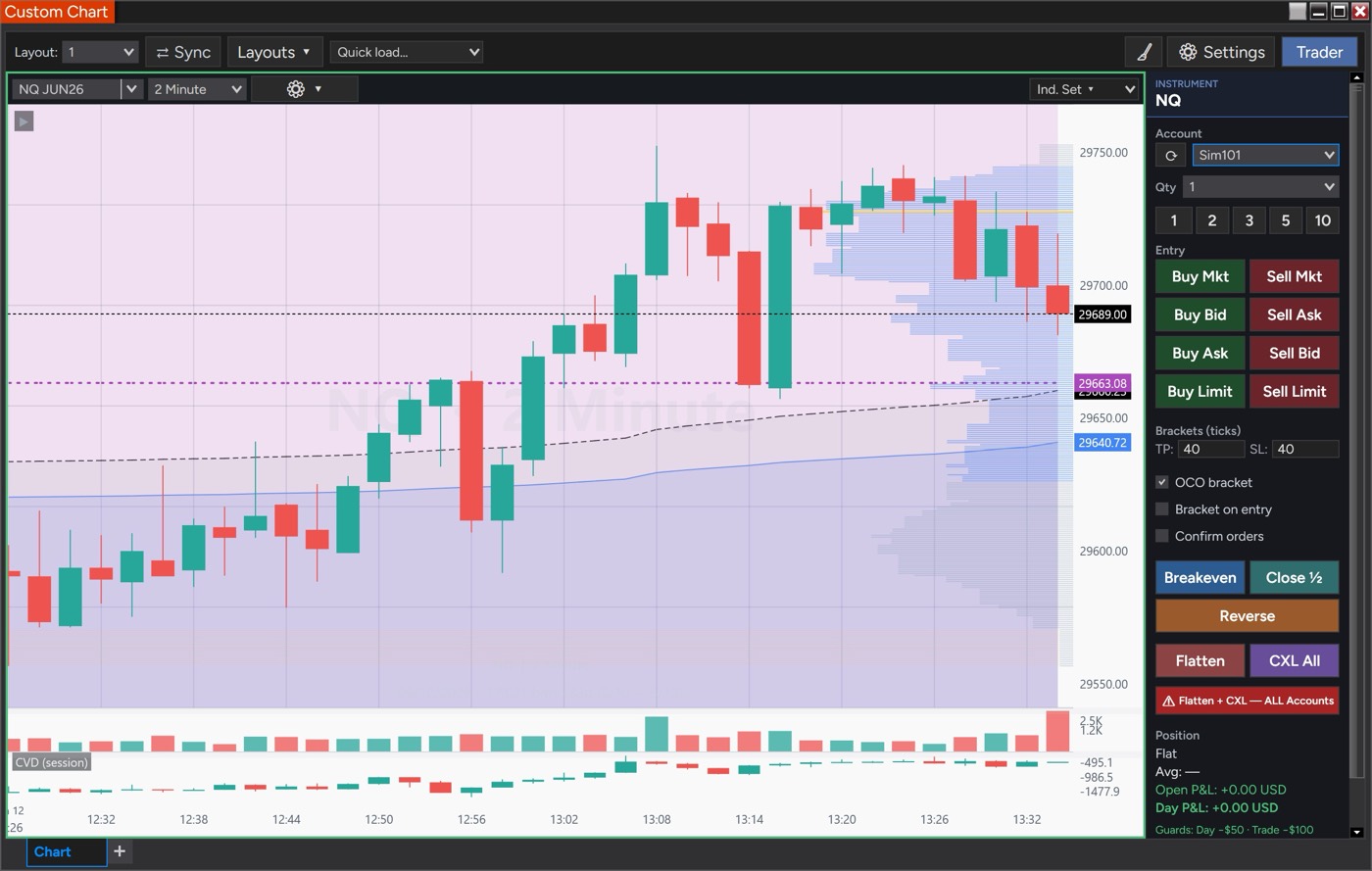
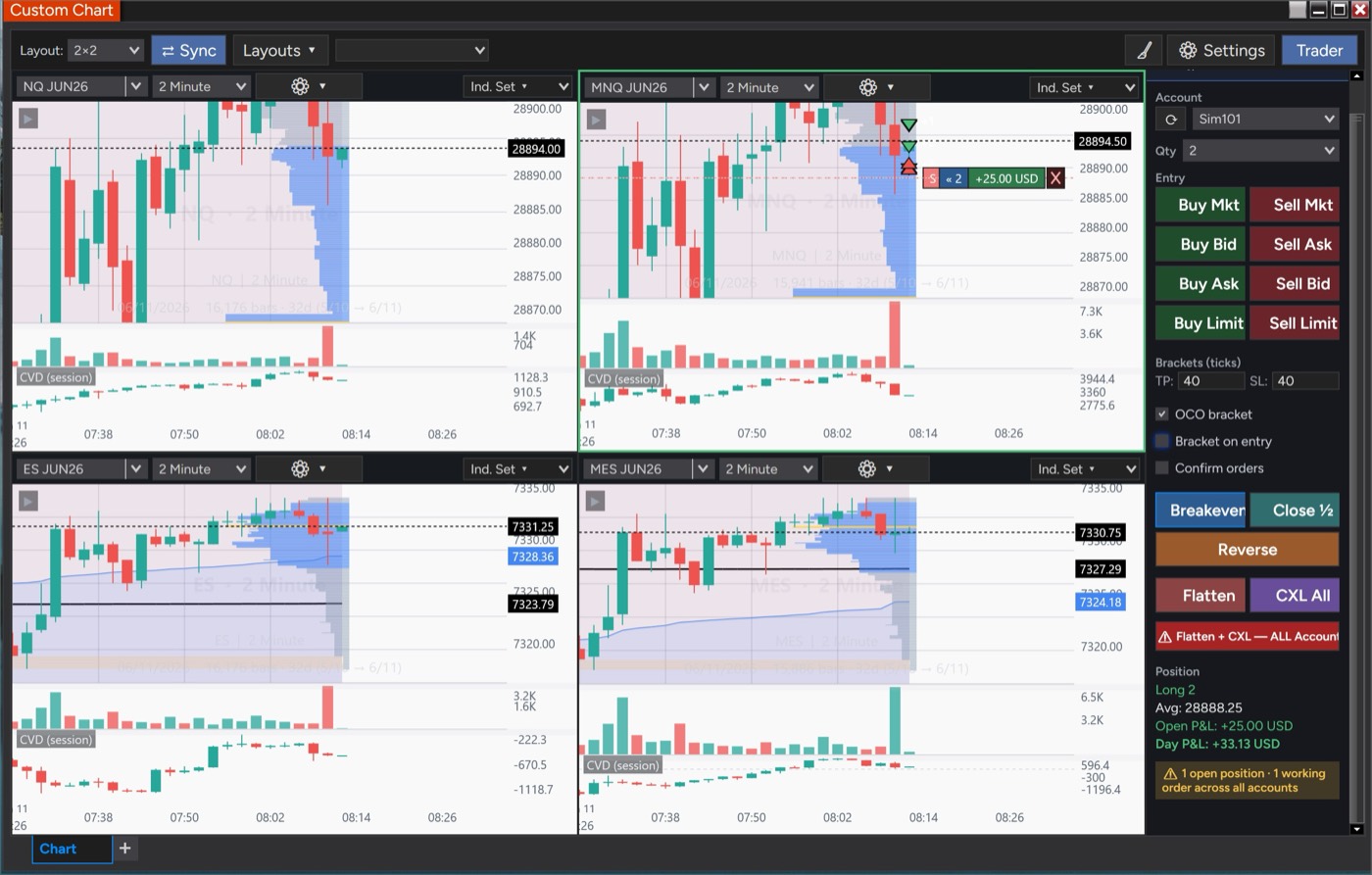
Chart + integrated trader

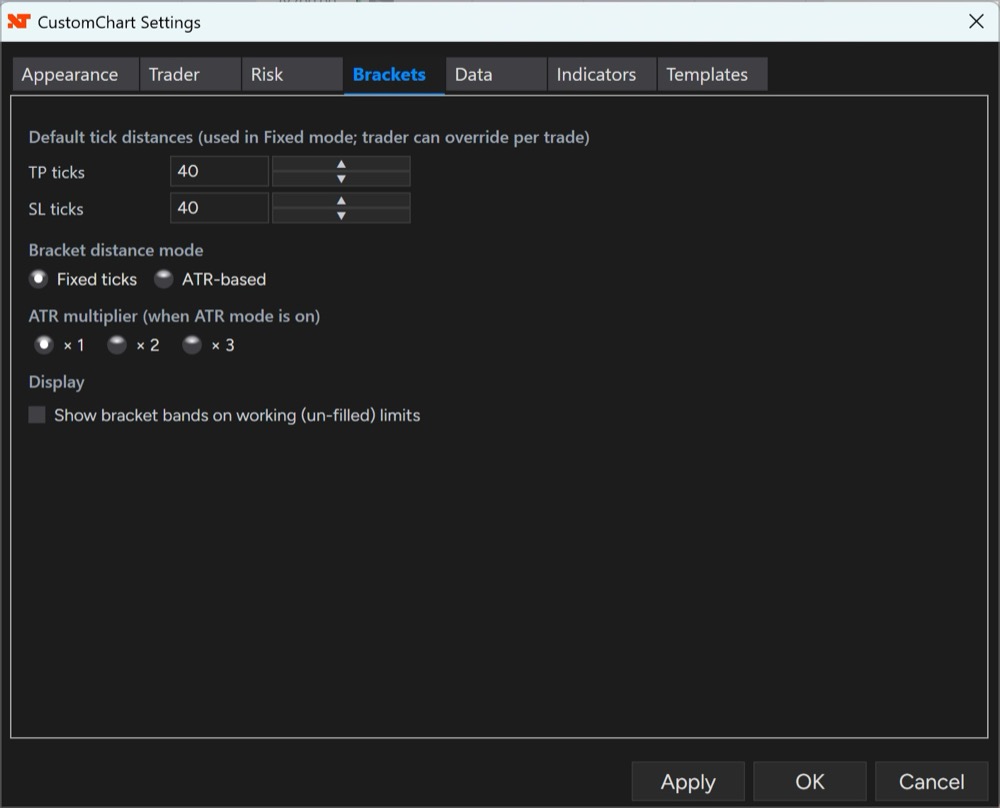
Working orders and brackets right on the price axis, with one-click entries, breakeven, and flatten in the Trader panel.

Full indicator suite

Tick-accurate VWAP family (RTH/Globex/Weekly/Monthly/Anchored) with σ bands, moving averages, Bollinger, Donchian, ATR Bands, and CVD.

Volume Profile suite

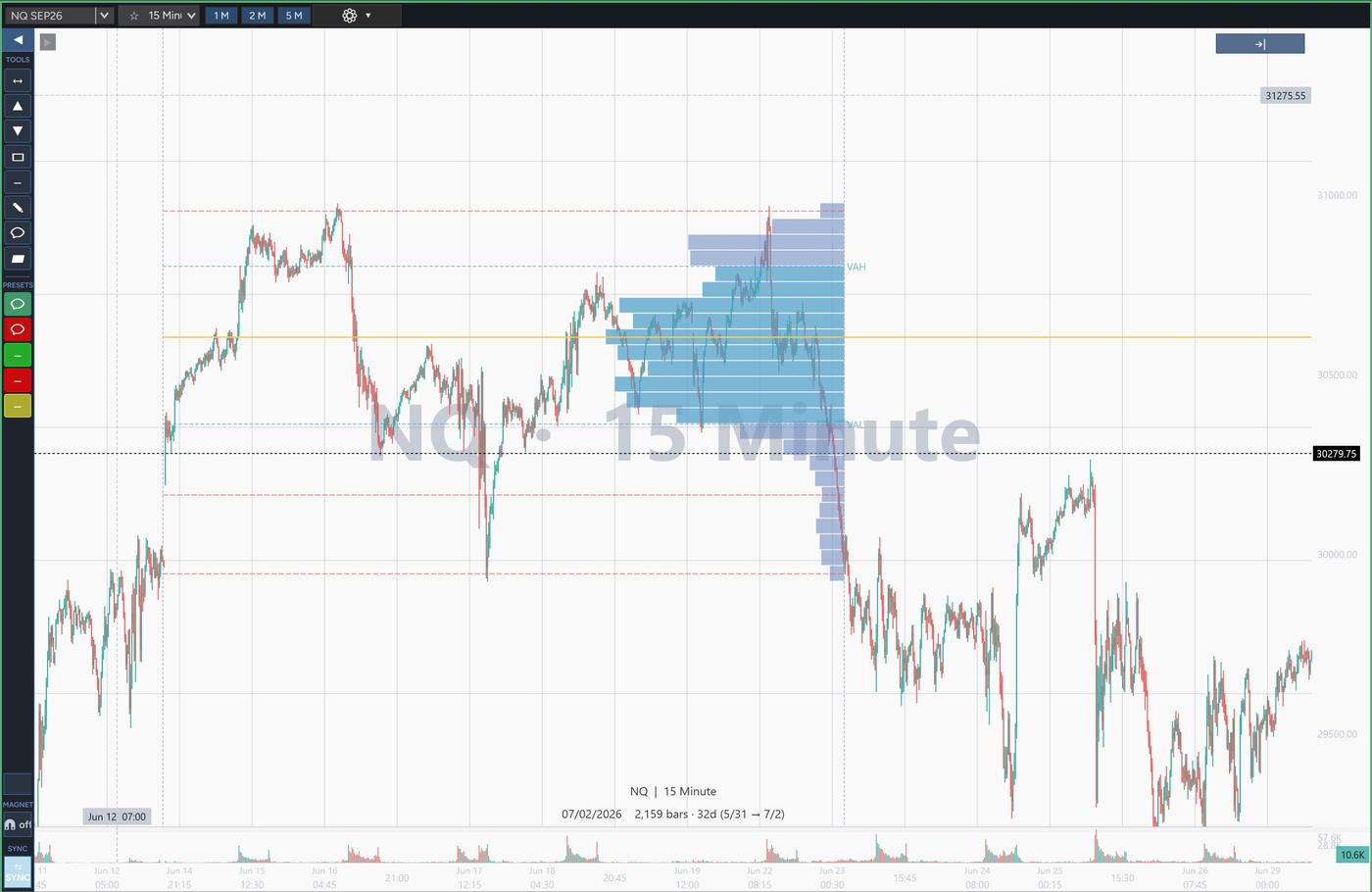
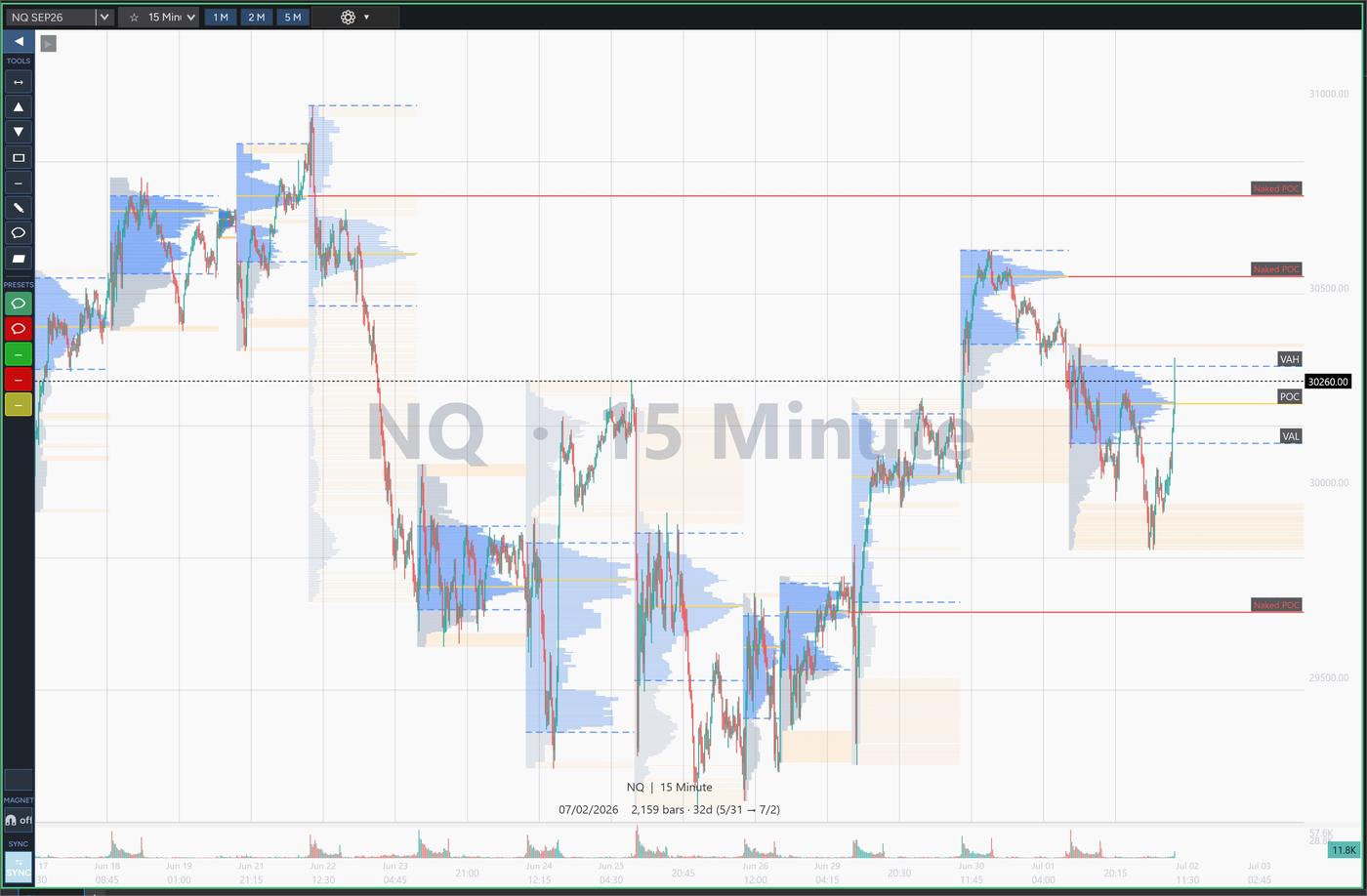
Session and composite profiles, a Naked POC tracker, pivot-based low-volume nodes, and anchored + range VP drawing tools.

Multi-chart layouts

Grids up to 3×3 with one-click sync of instrument, timeframe, and price level — including minis with their micros.

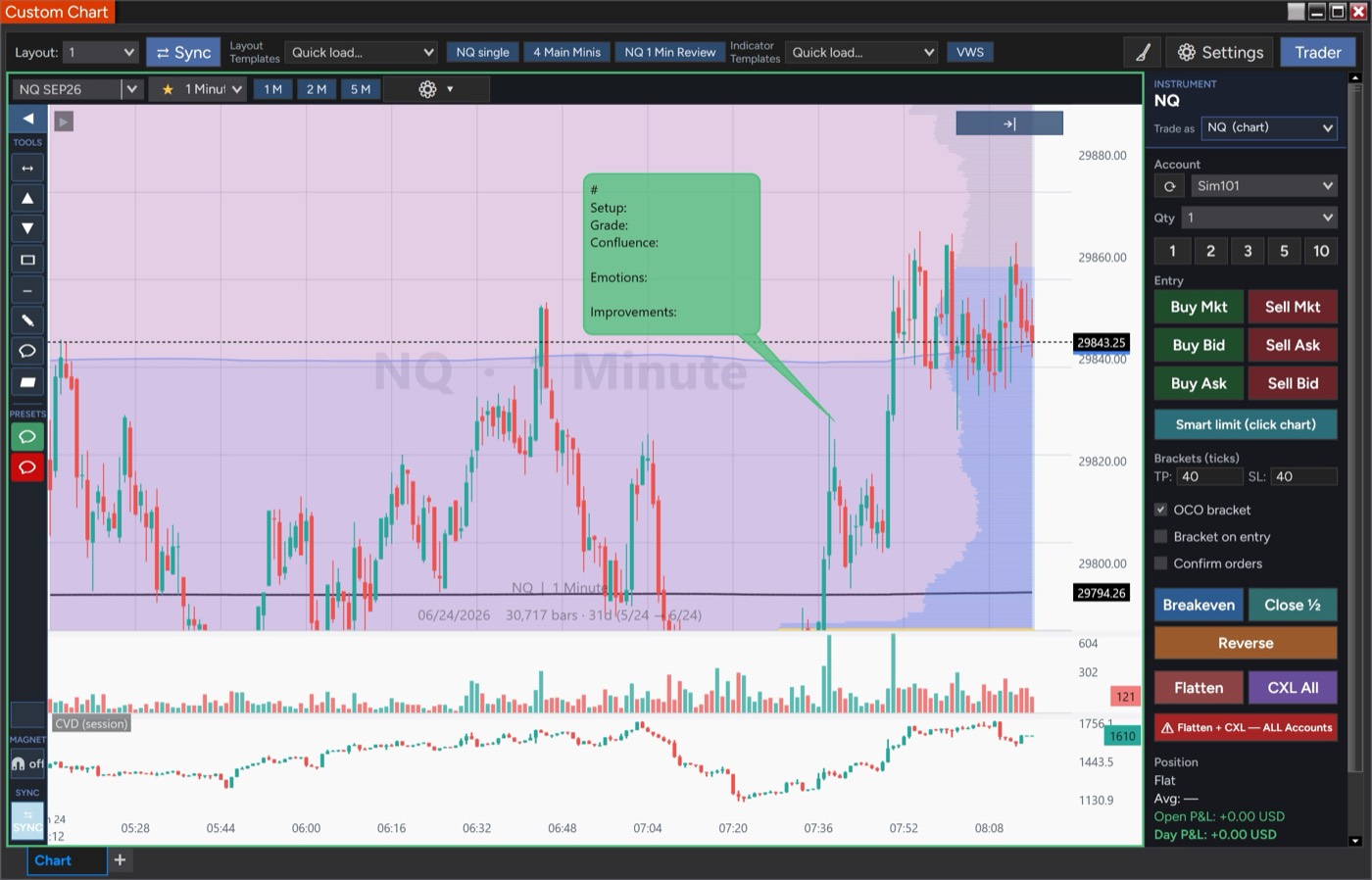
Drawing & journaling

Running trendline with distance labels, comment bubbles and callouts, fill-in journaling templates, and save-as-default styles.

Trade Review & journaling

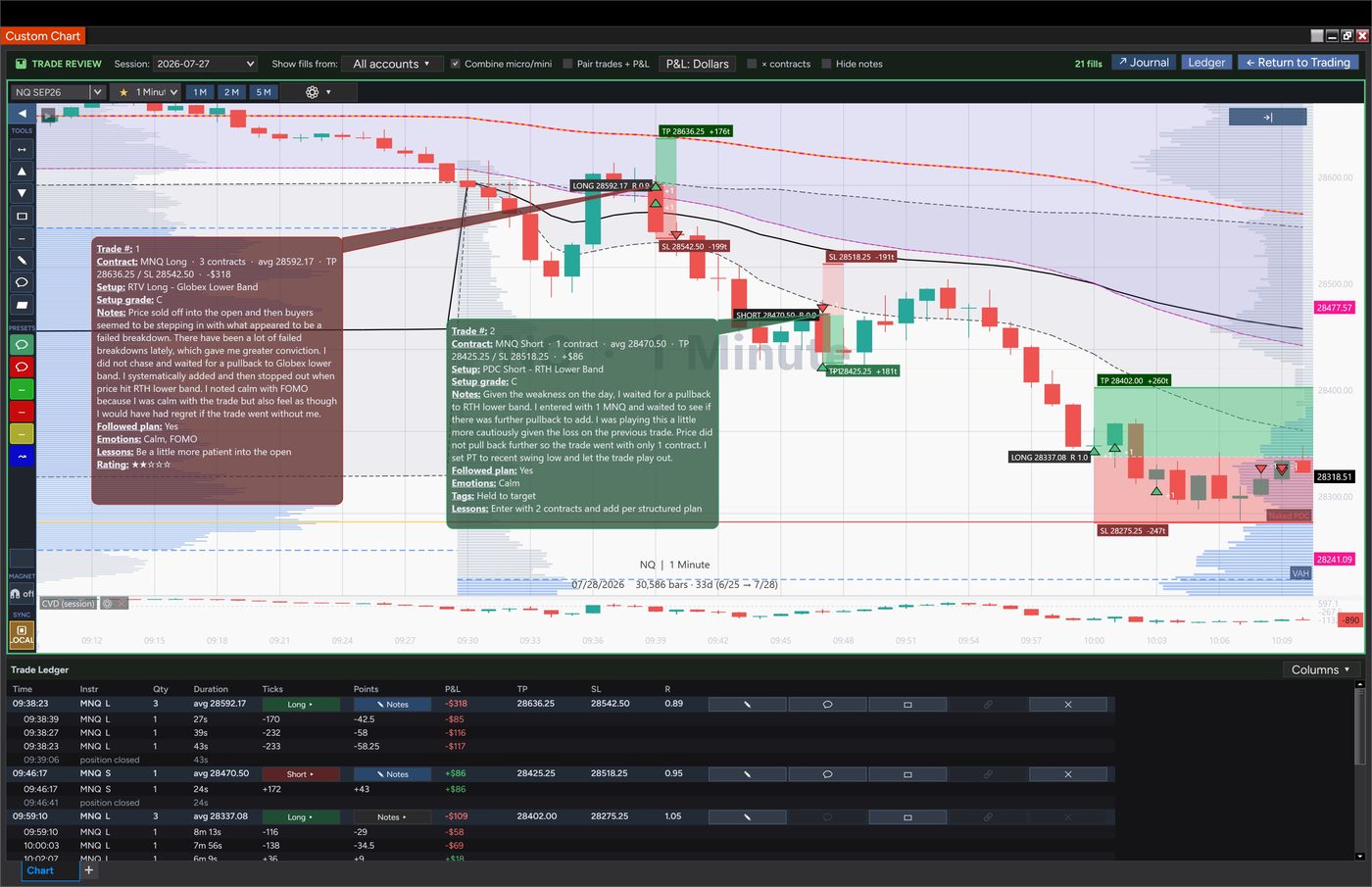
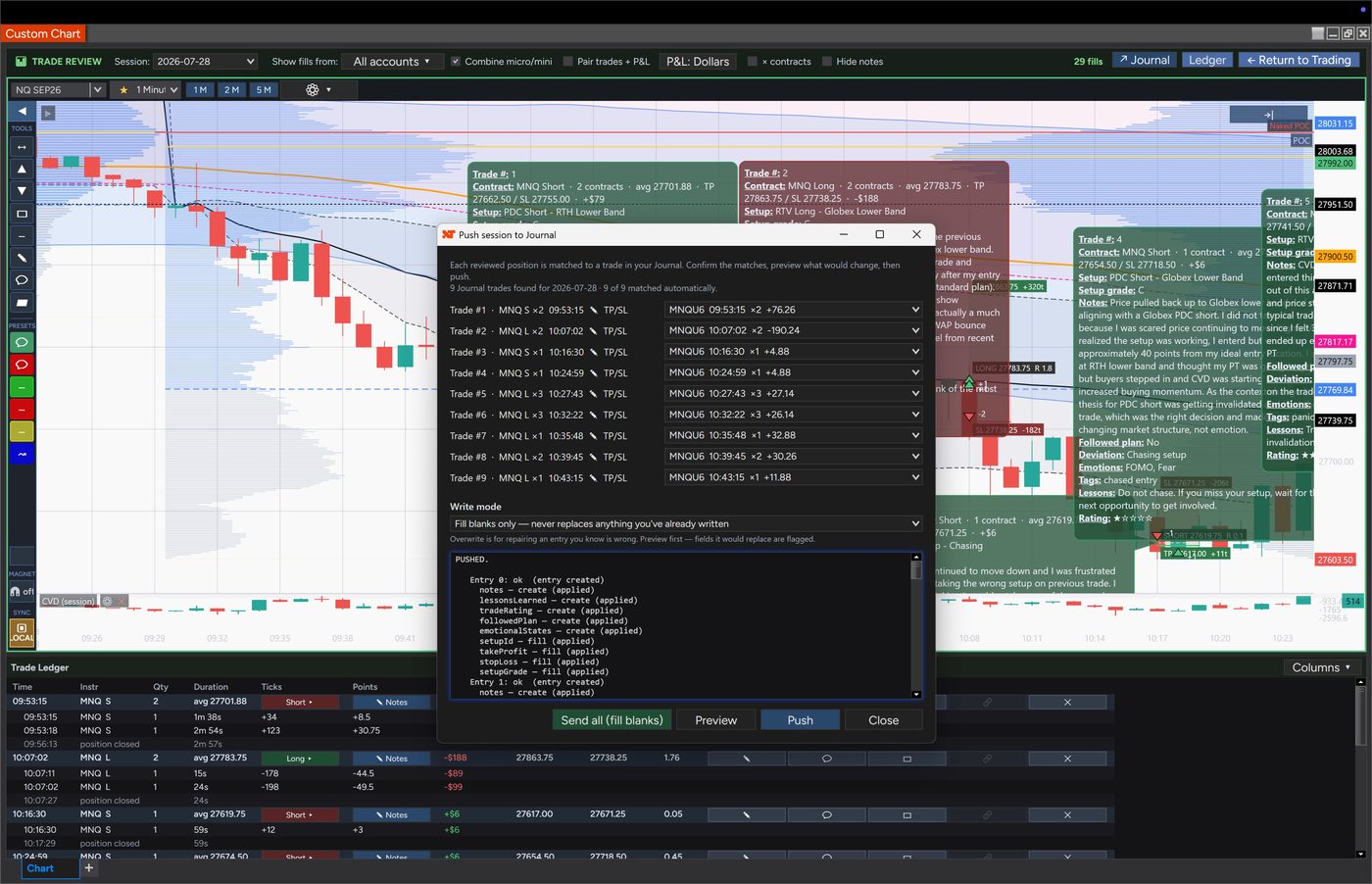
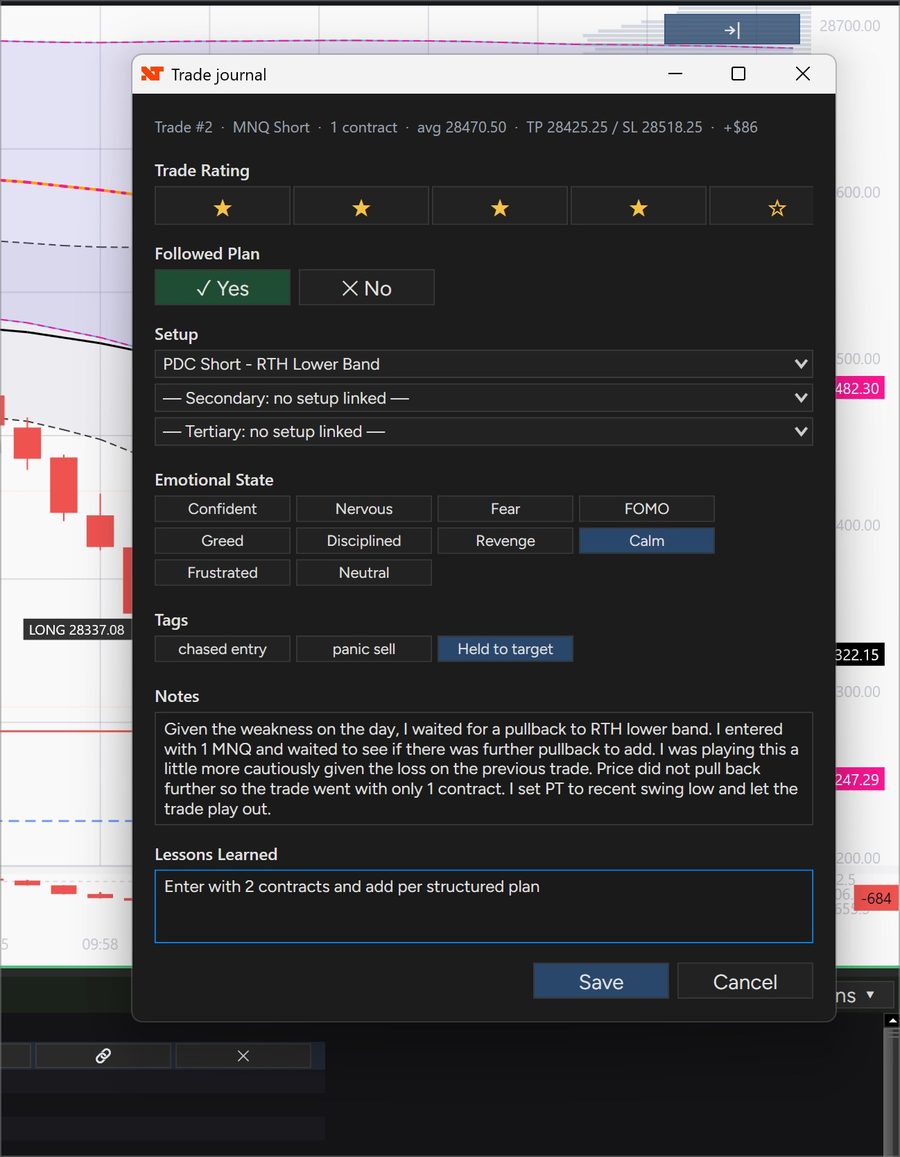
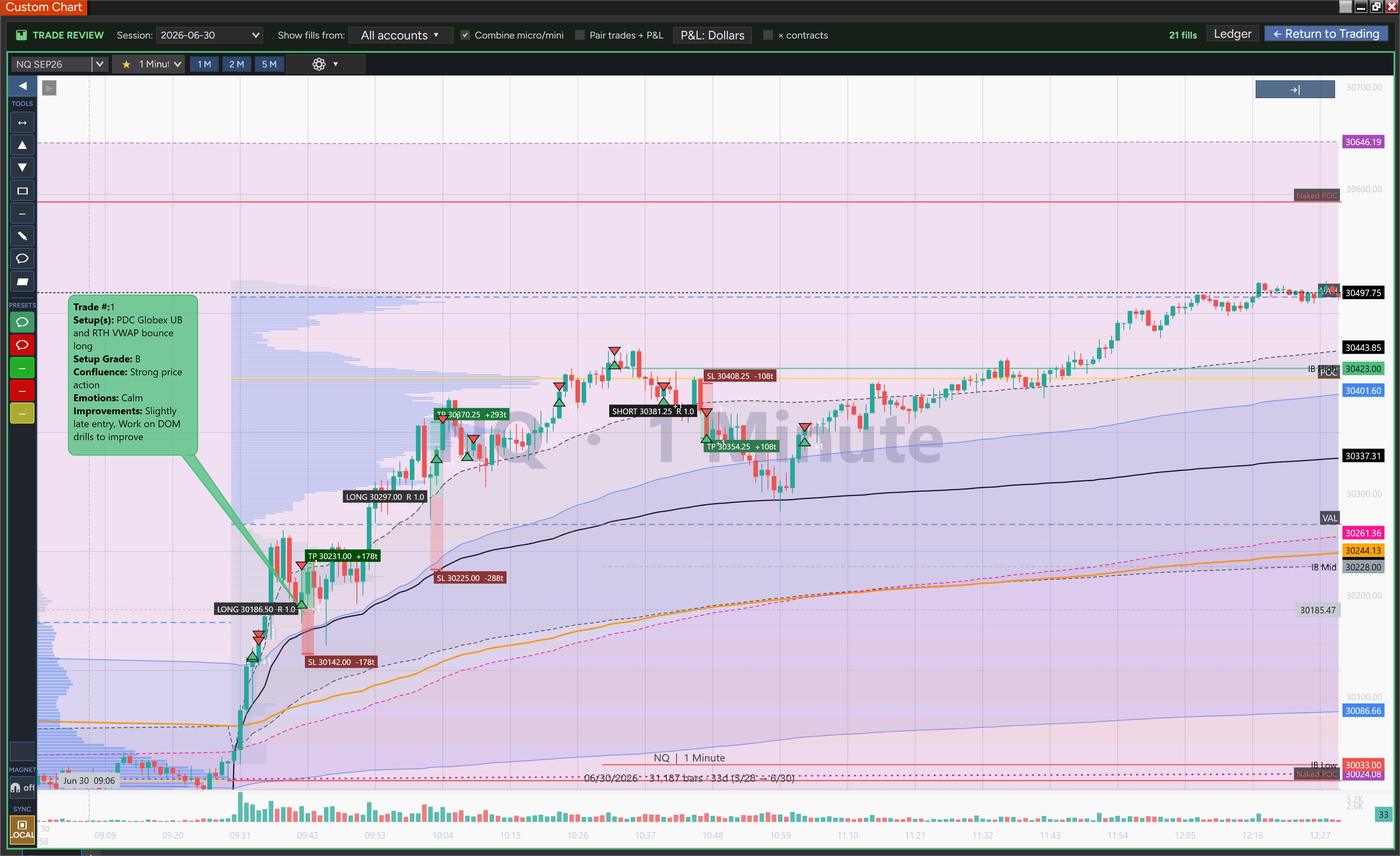
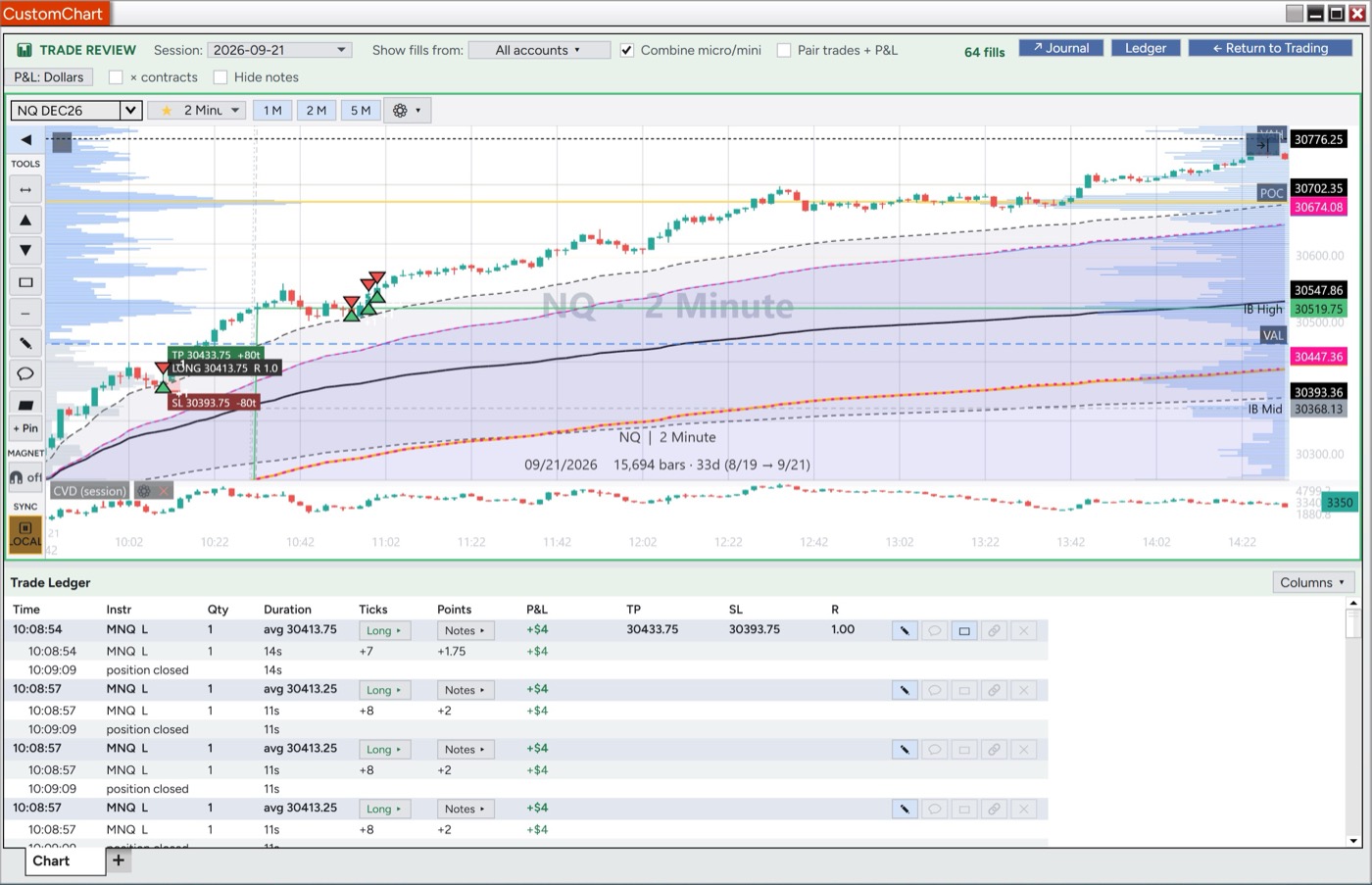
Replay your day with fills grouped into positions, plan tools with live TP/SL/R, a full journaling form per trade, and one-click push to the TradersForge Journal.

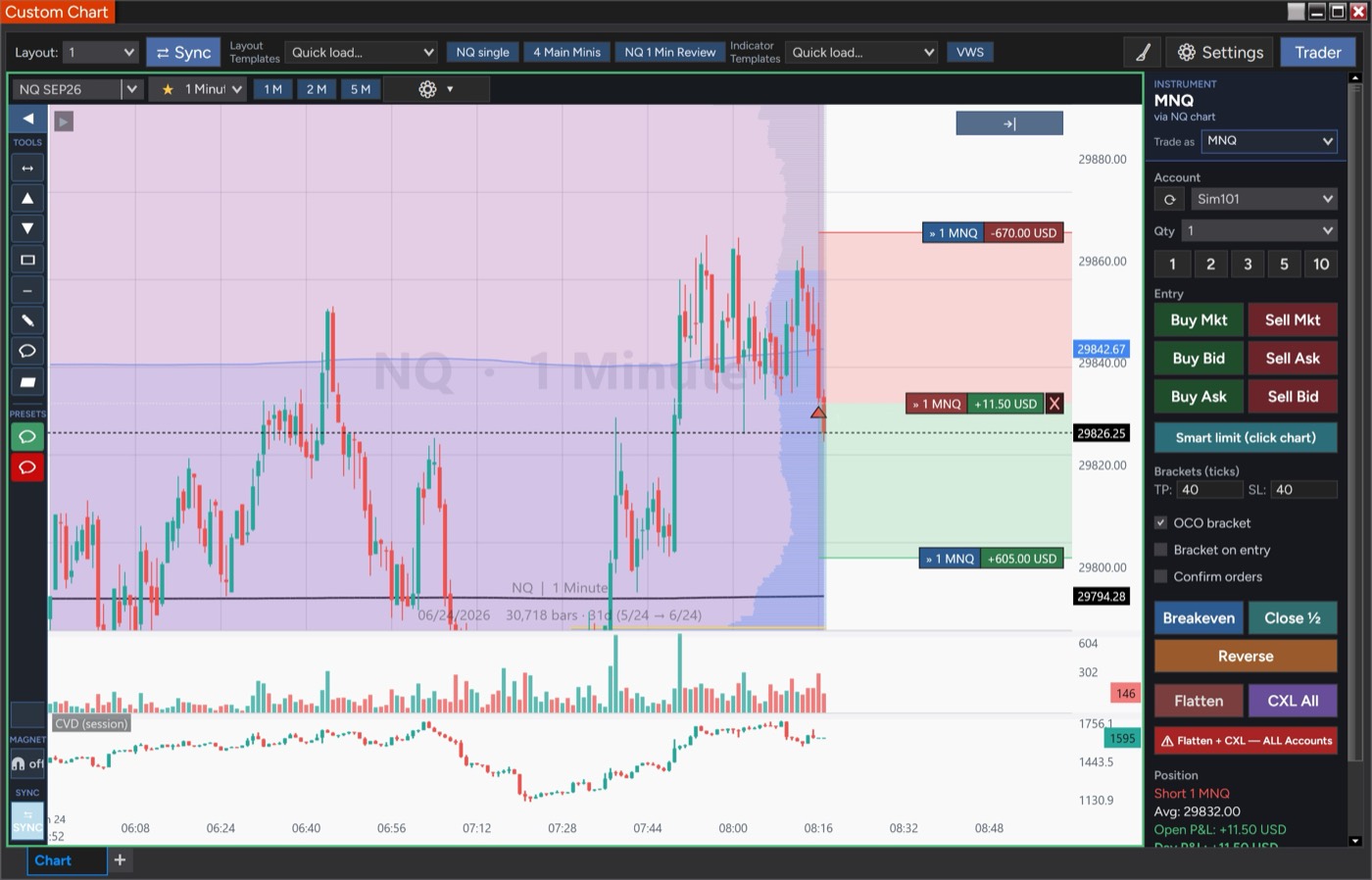
Trade micros off a mini chart

Read NQ, trade MNQ: “Trade as” routes orders to the micro with correct on-chart size and dollar labels.

Risk & account safety

Max order size, market lock and safety confirms, alt-account confirm, plus in-app license and default-account management.

Drawing & Annotation Suite

Trendlines, channels, comment bubbles, callouts, and labeled rectangles — with a left-side drawer of pinned tools and saved presets. Mark up NQ and your drawings follow onto MNQ and every layout, surviving restarts.

Templates & Favorites

Save layouts and indicator sets as templates, then pin your go-to setups and timeframes as one-click pills. Set a default chart that loads exactly how you like it every time.

Order-Flow Detail

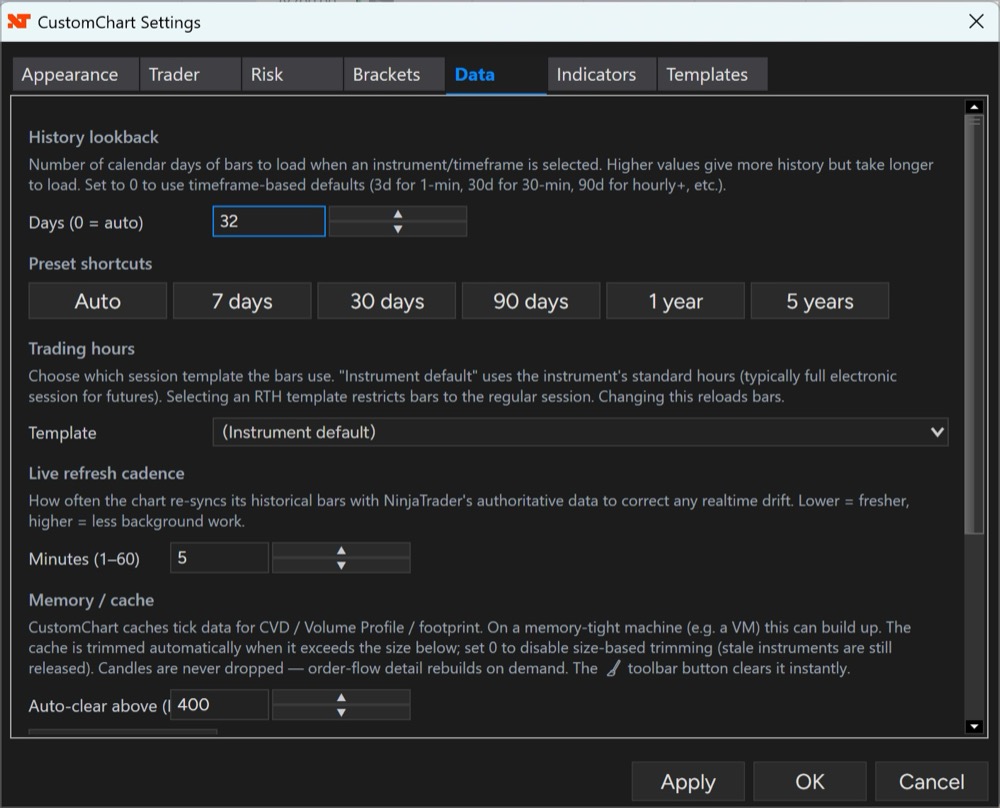
Footprint bars and tick-level Volume Profile detail for reading price acceptance and absorption — rebuilt on demand so charts stay light.

Multi-Account Risk Guardrails

Per-account daily-loss and loss-per-trade limits, plus max-contract caps by size class — applied across every logged-in account.

Smart Limit Orders

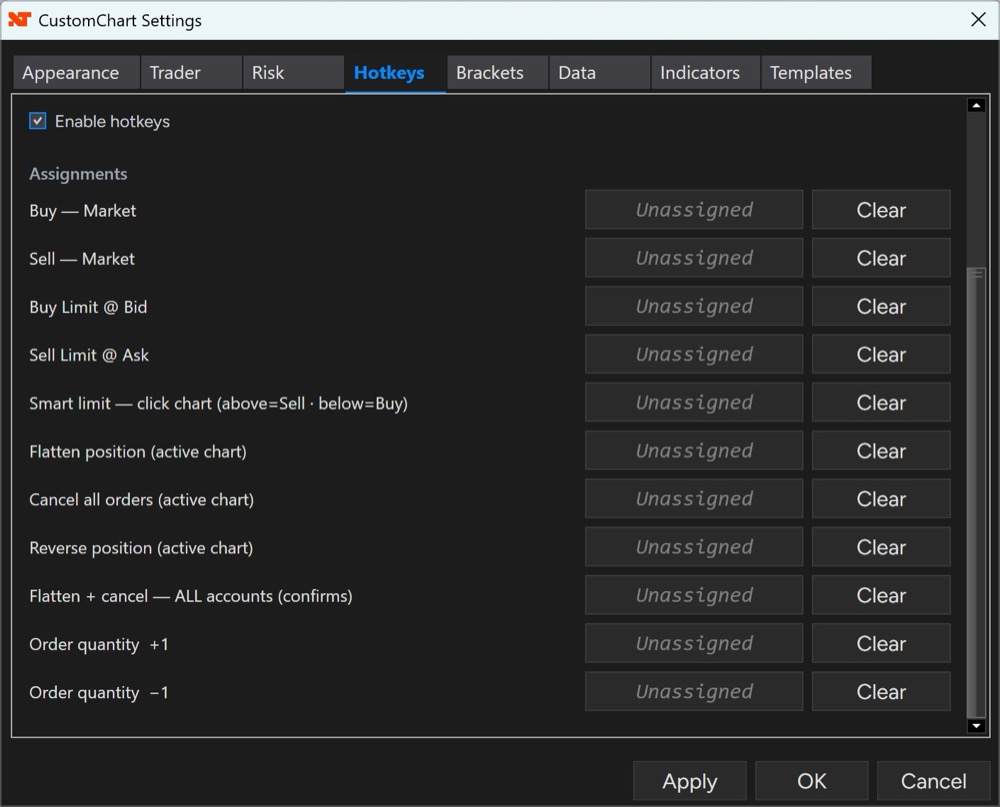
Place a limit by clicking the chart — above the market sells, below buys. Bind it to a hotkey for one-key entry at the price you want.

Trade Micros Off a Mini Chart

Read NQ, trade MNQ. Set “Trade as” in the Trader panel to route orders to a mini’s micro sibling (NQ↔MNQ, ES↔MES, YM↔MYM, RTY↔M2K) while bars stay on the chart you’re watching. The position chip reads “Long 3 MNQ” so size and symbol are never in doubt.

Works With CustomDOM

Pair it with CustomDOM and the ladder follows your active chart’s instrument and account automatically. Switch accounts on either side and both stay in sync.

Familiar & Clean

Designed with popular charting platforms in mind, so navigation, drawing tools, and shortcuts feel familiar from day one — right inside NinjaTrader 8.

New in v1.20 — Rotation, and Order Flow That Reloads Itself

  • Update required by October 31, 2026. v1.20 connects to the license server with a new key, and older versions — v1.19 included — stop validating after that date. Install v1.20 before then; your license key and settings carry over.
  • Rotation — price’s swings as a zig-zag, labeled with their structure (HH / HL / LH / LL) and size in points, optionally with each leg’s order-flow delta, bars and time. Run up to three at once, each from this chart’s bars or from 5- to 60-minute bars built from them, to see where this chart’s swing sits inside the bigger ones. A summary line names each rotation’s direction (“15m down”). It describes swings price has already made, not a signal.
  • Order flow reloads itself — CVD, CVD/RSI Div, Delta at Level and the Level Card could go flat after a price feed connected or reconnected, until you reopened the window. CustomChart now notices and reloads order flow by itself, within about 30 to 90 seconds, and says “order flow stalled · reloading…” meanwhile instead of showing a number that may be wrong.
  • Also — the indicator legend scrolls when a pane is too small to list every indicator, and Delta at Level no longer gives a verdict on a zero reading.

v1.19 — Trade Safety, Stale-Price Warnings and Order Flow

  • Trade safety. Brackets, Trail and Breakeven now belong to one account and one instrument — before, switching the Trader to another account while a bracket was working could resize or cancel the previous account’s bracket. Flatten now cancels every working order on the instrument, brackets included, and Reverse cancels the closing side first. Orders go to the instrument the Trader panel shows.
  • Know when your prices are stale — a red warning across the chart when prices stop arriving, the feed is lost, or prices arrive more than 3 seconds late, plus Feed: OK on the Trader panel (on by default).
  • Order flow — CVD from NinjaTrader’s own Volumetric engine when your license includes Order Flow+; Delta at Level verdicts at the levels you watch (pushed through, absorbed, too soon to call); a CVD/RSI divergence gauge; vs ES confirmation; and a floating Level Card. CVD’s start time moves to the Globex open once when you update — if you counted from the RTH open, set it again.
  • Trail and Smart Breakeven — trail by ATR, ticks or points; stops shrink as you scale out and cancel when you go flat. ATR brackets now use the real ATR (they used a fixed 16 ticks), so ATR bracket distances will change.
  • Also — much lighter in fast markets, an update notice from this version on, CustomChart #N pairs with CustomDOM #N, Initial Balance extensions renamed 1.5x / 2x / 3x, styleable trade markers, labels that stay readable on any background, and your license runs on one computer at a time.

v1.17 — CustomChart Follows Your NinjaTrader Skin

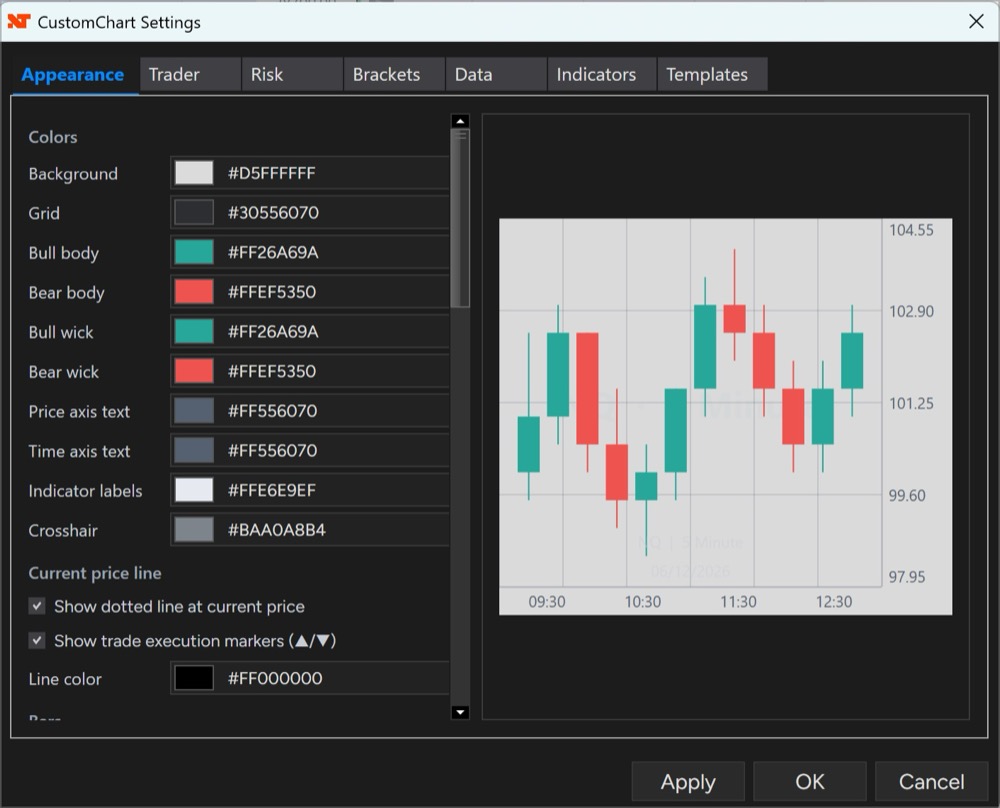
  • Pick any of NinjaTrader’s seven skins and the interface follows it automatically — and CustomDOM does too, using the same palette, so your tools match your platform and each other. Set the skin in NinjaTrader under Tools → Settings → General → Skin and restart NinjaTrader for it to take effect. Verified on all seven: Dark, Light, NinjaTrader, NinjaTrader Dark, Slate Dark, Slate Gray and Slate Light. Your saved chart colors are never rewritten — the interface follows the skin, the chart stays yours. Light and dark come from the NinjaTrader skin itself — there is no theme setting inside CustomChart to find. Separately, Settings → Appearance has opt-in chart color presets for when you want the chart to match too, which also closes a gap where changing the background alone could leave you with text you couldn’t read.
  • Fixed — the unhandled-exception dialog on NinjaTrader restart. On v1.16, restoring a workspace could raise an error dialog at startup. If you have been seeing that, this release is the reason to update.
  • Changed — VWAP price source now defaults to OHLC4 (it was HLC3). This is a preference change, not a correction. Your saved settings are not migrated: a workspace that already has a price source keeps the value you set, and only fresh indicators pick up the new default. Note that TradingView’s default is HLC3, so a fresh CustomChart and a fresh TradingView chart will now show a small permanent difference where they used to agree — that’s expected. Set the price source back to HLC3 in Settings → Indicators → Price source if you want them to match.
  • Stability — fixes to race conditions in the shared data providers, a tick-array read that could throw during a fetch, and a sweep that could freeze drawing brushes. Nothing visible; no action needed.

v1.16 — Never Trade the Wrong Contract by Accident

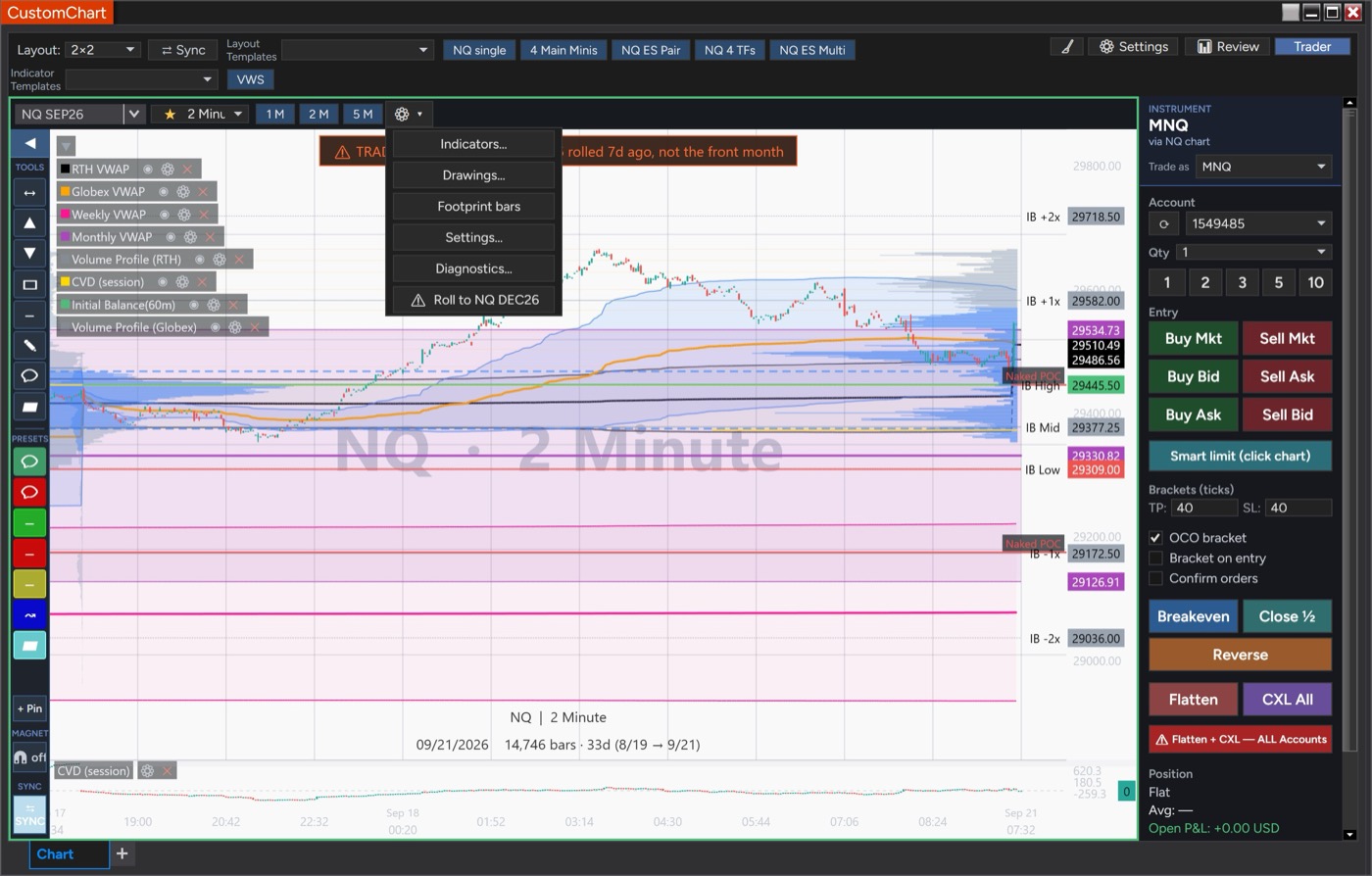
  • CustomChart now knows when a contract has rolled — the moment a futures contract rolls, any chart still on the old one gets a banner across it and the Trader refuses new entries on that pane. Not at expiry — at the roll, while the old contract is still perfectly tradeable and the volume has already moved. That gap is usually about a week, and it is exactly where a stale chart gets you filled on a thin book at a price that no longer reflects the market. Nothing used to distinguish the two: same symbol, same-looking candles, live-looking price. What’s blocked is opening or increasing a position — Flatten, Close ½, Breakeven and Cancel All are never blocked by design, so a position held across a roll can always be managed and closed.
  • One-click roll to the front month — the gear menu offers Roll to NQ DEC26, or whatever the next contract is, on any pane sitting on a rolled one. One click moves the pane and reloads its data. The row appears only when the next contract can be resolved with certainty.
  • Rejected orders are impossible to miss — the notice now appears directly under the Buy/Sell buttons you just clicked, boxed in red, and stays up longer.
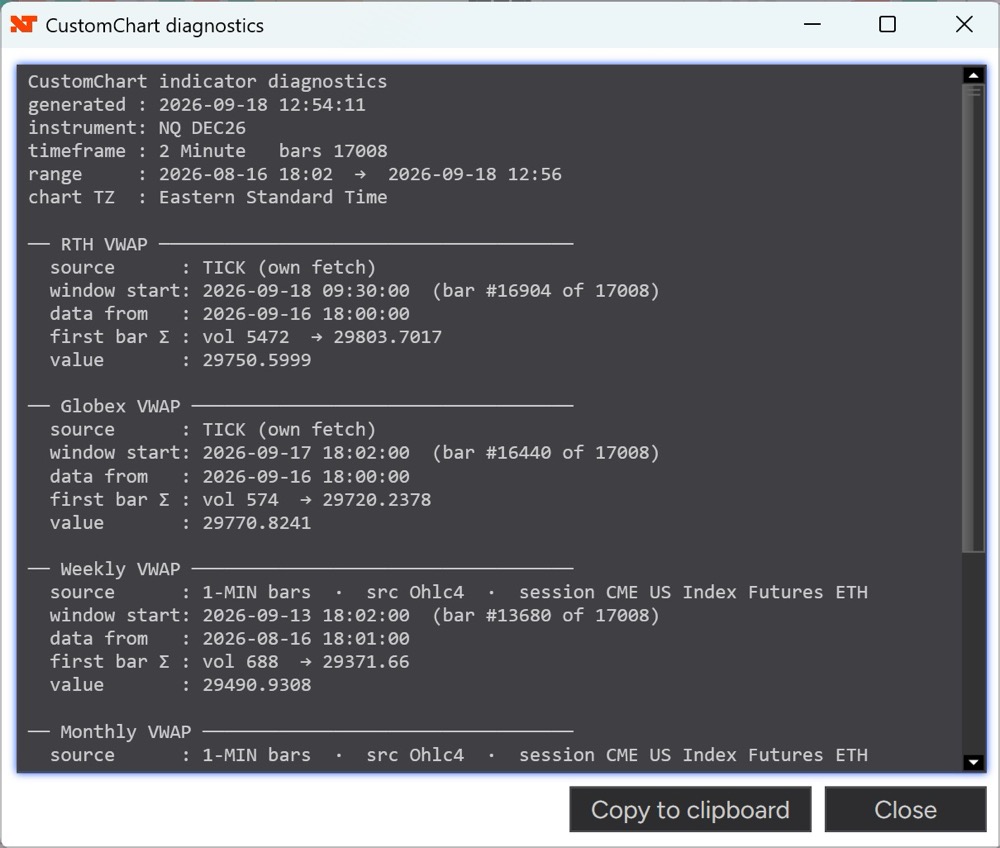
  • Diagnostics reports rollover — how many days until the pane’s contract rolls, or how long ago it did. Rollover detection uses NinjaTrader’s own calendar for the instrument; where NinjaTrader has no rollover data, CustomChart treats the contract as unknown and doesn’t block — a missing calendar should never stop you trading.

v1.15 — VWAP That Tells You When Your Data Is Wrong

  • VWAP detects bad trade data instead of drawing a wrong line — if the downloaded trade data for a bar disagrees with the bar itself, that session falls back to bar prices rather than producing a level that cannot be right, and Diagnostics reports that it did. Previously a gap in your tick data could anchor the line far from where price actually traded, with nothing on screen to say why. It doesn’t repair the data — it stops bad data producing a silently wrong line and tells you the data is suspect, so you know to reload it.
  • Lighter on your data connection — charts using VWAP without CVD, Volume Profile order-flow or Footprint now request one stream of trade data per instrument instead of three. That’s fewer requests rather than a faster chart — most noticeable on a slow connection or with Tick Replay enabled. Your VWAP values are identical either way.
  • Diagnostics says more — whether each VWAP used trade data or fell back to bars, how many data streams the instrument is carrying, and a flag on any session whose trade data was rejected as inconsistent.

v1.14 — Your Journaled Sessions Stay Put Through a Roll

  • Trade Review now lines up after a contract rollover — reviewing a past session shows the prices that actually traded that day, so the entries, exits and levels you logged sit where you put them even after the front month has rolled. Previously they drifted by the roll amount, and every session journaled before a roll looked wrong. Nothing in your data needed fixing — fills and levels were always stored at the prices you really traded; it was the chart underneath them that shifted.
  • Sessions with saved review markup are marked — a pencil beside a date means drawings are saved on that session. Markup made while reviewing has always been kept and restored, so sessions you annotated months ago are already marked.
  • Fixed — the session list was showing internal files as entries that opened to nothing, and an internal error could leave some windows rendering in NinjaTrader’s own styling instead of CustomChart’s until the next restart.

v1.13 — VWAP That Doesn’t Depend on Your Other Indicators

  • Globex and RTH VWAP now load their own trade data — previously they used precise trade data only when CVD or Volume Profile happened to be open on the same instrument, and quietly fell back to a coarser source otherwise, which could leave the line anchored well away from the session open. The VWAP is now accurate whatever else you have on the chart.
  • More accurate volume attribution — trades are assigned to the bar they actually belong to, so the forming bar updates continuously instead of the line flattening at the right edge until each bar closes. This shifts VWAP values slightly for everyone, including charts that looked fine before — the new values are the correct ones.
  • New: a Diagnostics readout — gear menu → Diagnostics… shows what your VWAPs and Pivot Points are actually reading: data source, session anchor, and the prior session’s OHLC behind your pivot levels, with a Copy button. A level that looks wrong can be checked in one step instead of guessed at.
  • The NinjaTrader menu entry is now “CustomChart” — one word, matching the product name everywhere else. If you are upgrading and go looking for the old two-word “Custom Chart” entry in the New menu, it is the same add-on under the new name.
  • Fixed — the chart’s right-click menu had a pale vertical bar down its left edge on some NinjaTrader skins, making the entries hard to read.

v1.12 — Consistent on Any NinjaTrader Skin

  • The interface renders the same whichever skin you use — CustomChart’s windows, menus, toolbars and settings now draw in CustomChart’s own styling regardless of the skin selected in NinjaTrader. Some skins previously left parts of the dialogs nearly unreadable. CustomChart’s interface is dark on every skin — readable and consistent on a light NinjaTrader skin, but still a dark panel inside a light platform.
  • Initial Balance levels carry overnight — each session’s IB high, low, midpoint and extensions now stay on the chart until the next session’s IB forms, instead of disappearing at midnight, so yesterday’s range is still there through the overnight and into the open. On by default, and it applies to your existing layouts after upgrading — turn off “Extend levels until next IB” in the indicator’s settings for the old behaviour.
  • Pivot Points: a guard against a mismatched daily bar — if the exchange daily bar doesn’t line up with the session it’s meant to describe, the levels fall back to the chart’s own data rather than using it. Most users will never see it act.

v1.11 — Pivots That Match Your Other Charts

  • Pivot Points now match TradingView, level for level — levels anchor to the exchange trading session rather than the calendar day (for futures those aren’t the same thing, and the old behaviour blended the end of one session with the start of the next). Verified against live TradingView data on NQ.
  • Settlement-accurate — pivots are built from the exchange’s own daily bars, so the prior close is the settlement price, the same basis TradingView uses. That single number was the biggest source of disagreement; everything else already matched.
  • Six methods, fully configurable — Traditional, Fibonacci, Woodie, Classic, DM and Camarilla, with Daily / Weekly / Monthly anchoring and levels out to R5 / S5, each shown or hidden individually. Levels a method doesn’t define simply aren’t drawn.
  • Identical at every timeframe, with on-chart labels — switch between 1, 2 and 5 minutes and the lines don’t move. Labels like P (29740.50) can be aligned left/centre/right, resized, reduced to the name only, or stripped to bare text. Pivot Points previously had no settings at all — these save with your layouts and templates.
  • Missed Setup in Trade Review — on a losing trade, log the valid setup that was there in the opposite direction: the trade that was the better read. Optional, shown only on losers, and never counted toward any setup’s win rate, since the trade was never taken. Carries across to your TradersForge Journal.
Journal syncing requires a TradersForge Journal account on the Elite plan. Everything else in CustomChart — charting, trading, indicators, Trade Review, the ledger, plan tools, the journaling form and on-chart bubbles — works standalone with no Journal account. Pushing sends your trade-journal content (notes, ratings, plan levels, setups, emotions, tags) to app.tradersforge.net only when you press Push, using an API key you paste yourself.

Upgrading from v1.16 is drop-in — no settings migration. v1.10 moved the plan tool’s labels outside the tool with an opacity control, and let the journaling form pull new setups and tags without leaving the chart. v1.9 brought the big one: the Trade Review ledger groups fills into positions, every position gets a plan tool with live TP/SL/R and a full journaling form that becomes a color-coded chart bubble, and the whole session pushes to your TradersForge Journal in one action. v1.8.2 fixed the chart-freeze defect behind intermittent “missing bars”; v1.8.1 brought CVD parity with NT8’s native Cumulative Delta. Every update is free for license holders.

Own It for $100 — or Rent-to-Own at $10/mo

Pay once and it’s yours forever — or pay $10/month and own it for life after 12 payments. Billing stops automatically.

14-day free trial + 14-day money-back on lifetime — 28 days to be sure.

Already own CustomDOM? You qualify for 25% off CustomChart ($75 lifetime) — sign in and generate your personal one-time code from your dashboard.

Lifetime

$ 100

One-time payment — yours forever

  • ✓ Full CustomChart Add-On for NinjaTrader 8
  • ✓ Lifetime license — no recurring fees
  • ✓ Free updates and improvements
  • ✓ Setup guide & user manual
  • ✓ Direct support & feature requests
Buy Lifetime — $100

14-day money-back guarantee

Rent-to-Own

$ 10 /mo

Own it for life after 12 payments

  • ✓ The same full product — nothing held back
  • ✓ Own it after 12 payments ($120 total)
  • ✓ Billing stops automatically — never more than $120
  • ✓ Cancel anytime; access ends with your paid month
  • ✓ $90 lifetime buyout during your first month
Start Rent-to-Own — $10/mo

Evaluate with the free trial — no money-back on monthly

Free Trial

$ 0

14 days — the full product

  • ✓ Every feature unlocked
  • ✓ Card required — nothing charged for 14 days
  • ✓ You choose day 14: $100 lifetime, or $10/mo rent-to-own
  • ✓ Cancel any time from your dashboard · one trial per card
Free trial, then $100 lifetime Free trial, then $10/mo

Free account + card · lifetime has a 14-day money-back

Already purchased? Sign in to access your download and setup guide.

Requires NinjaTrader 8. Our recommended trading platform — download free from NinjaTrader and you’re ready to import CustomChart. Get NinjaTrader → Affiliate link — TradersForge may earn a commission when you sign up.